Analytics tracking that shows you which marketing ACTUALLY BRINGS SALES.
Before we run a single campaign, we set up tracking. Google Analytics 4, Tag Manager, pixels and conversions, tested properly, so you stop guessing and your ads learn from real customers.
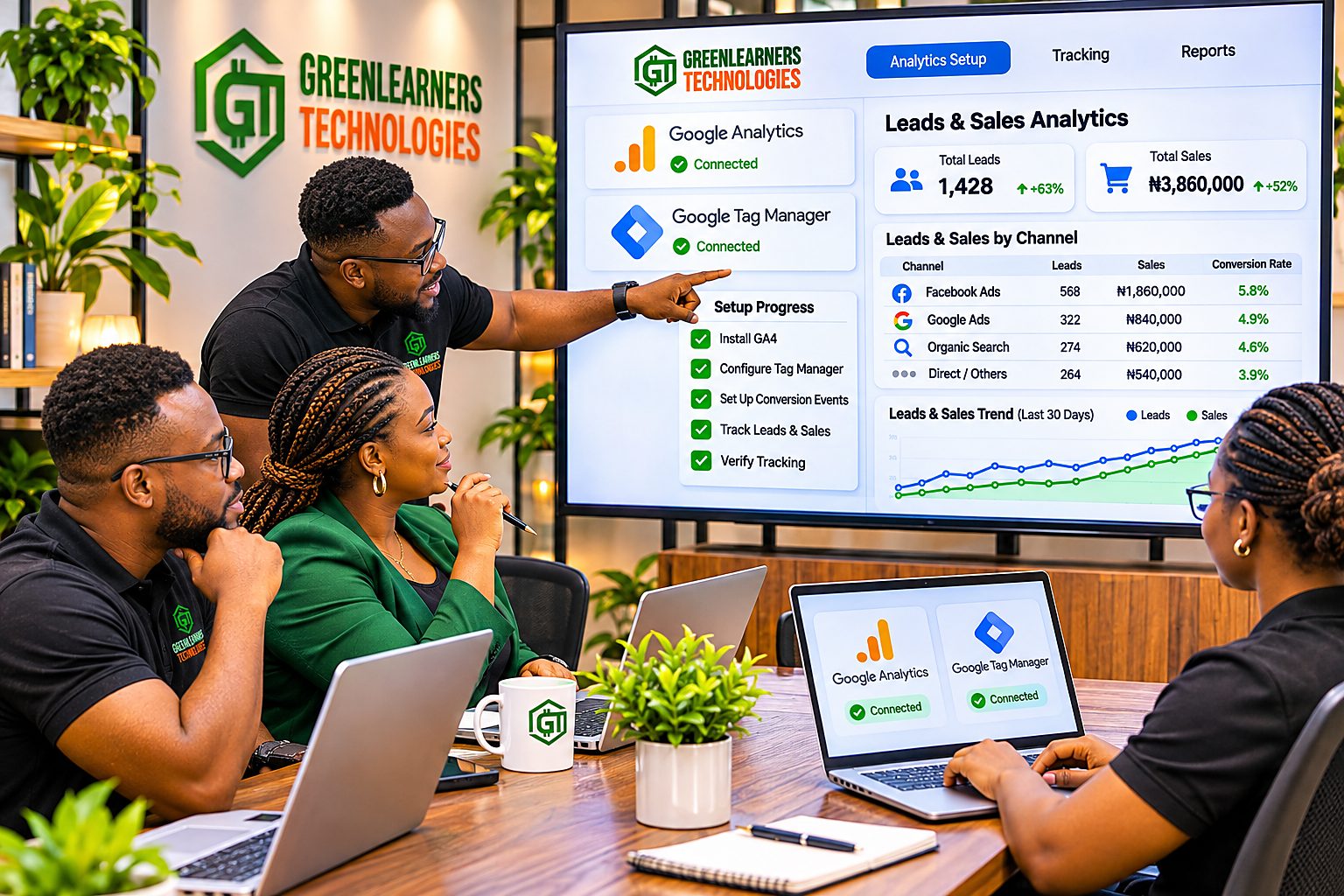
An illustration, not a real client. This is what one month looks like when every sale carries its source.
One page. Four ways in. Pick yours.
A store owner who wants to know which ad sells, a marketer setting up GA4 and a founder ready to hire all need something different. Jump to the part written for you.
I want to set up Google Analytics
How to install Google Analytics on WordPress, Shopify, WooCommerce and Tag Manager.
Show Me HowCheck my tracking free
A UTM builder, a tracking ID finder and a ten-point health check.
Use The ToolsI’m ready to hire
What our analytics and tracking services include, how pricing works and how we report.
See The ServiceWhy we set up tracking before we spend a single naira on ads
“Half the money I spend on advertising is wasted. The trouble is, I don’t know which half.” The line is often credited to a department store owner, John Wanamaker, over 100 years ago. Most businesses still live it.
A true story from 2008, and a test you can run today
In 2008, Dan Siroker ran analytics for Barack Obama’s presidential campaign website. The team had a sign-up page, and everybody had an opinion about it. Most loved the videos.
So instead of arguing, they tested. 24 versions: four buttons, three photos and three videos. Every visitor was tracked to the version they saw.
Every video lost. The winner was a simple family photo with a “Learn More” button. Sign-ups rose from 8.26% to 11.6%, a 40.6% jump. Carried across the campaign, the team projected about 2.88 million extra email addresses and estimated $60 million in extra donations.
Nobody guessed the winner. A fair, measured test found it.
Now think about a normal month in your business. You boost posts, run Google ads and send WhatsApp broadcasts. Money goes out every week. A customer pays, and someone asks how they found you. “Instagram, I think.” That is not a report. It is a guess.
It gets harder when sales end on WhatsApp or a phone call, the way most sales do in Nigeria. A pixel can record the tap on your WhatsApp button. It cannot see the chat that follows. If nobody records which ad started it, the ad that brought your biggest customer looks like a failure, and gets switched off.
And you are not the only one guessing. Google and Meta learn from the results you send them. Google’s Smart Bidding cannot run without conversion tracking at all. Send them nothing, and the only thing they can optimise for is clicks or reach, not buyers.
So try this today. Open Meta Ads Manager or Google Ads and look at the results column of your biggest campaign. Does it count leads and sales, or clicks and reach? If it counts clicks, your ads are learning to find people who click, not people who buy.
- 200824 versions testedButtons, photos and videos, every visitor tracked
- OpinionThe team loved the videosEvery single video lost
- DataA family photo wonWith a plain “Learn More” button
- Result40.6% more sign-upsAbout 2.88 million extra emails
- 1Do I know where my last 10 customers came from?
- 2Do my ads count leads and sales, not clicks?
- 3Do my links carry UTM tags?
- 4Do I own my Google Analytics account?
The Obama campaign figures are real and linked. The two answers are illustrations, not a client’s real data.
Three blind spots that waste ad budgets
These are the gaps we find most often when we audit a business’s tracking. Each one quietly costs money every day it stays open.
Ads learning the wrong lesson
No conversion signals are sent back, so campaigns can only optimise for clicks and reach. You pay for attention from people who were never going to buy.
Fix: conversions and the Pixel APISales with no source
Links from WhatsApp, email and Instagram carry no UTM tags, so Google Analytics files many of those visitors as direct, referral or the wrong channel. Your best channels look like they do nothing.
Fix: UTMs on every linkLeads that never become data
Calls and WhatsApp chats turn into sales, but nobody records which ad started them. The ad that brought your biggest customer gets switched off.
Fix: track calls, chats and offline salesAds without tracking are guesses. Tracked ads are lessons, and lessons compound.
That is why analytics tracking is the first thing we do for every client at Greenlearners Technologies, before any campaign goes live. It costs far less to set up tracking first than to find out later where the budget went. The free tracking ID finder further down shows what is already on your website.
Analytics tracking pricing: four ways to work with us
Clear prices, in writing, before you pay anything. Pick your currency, then pick how much of your tracking you want done for you.
Launch Right
Tracking done right, before you spend on ads.
For any business about to run ads, or already running them blind: stores, clinics, schools, service firms and B2B teams.
See everything included · 12 items
- A 45-minute measurement call: your goals, your sales process, your tools and what a customer is worth
- A tracking audit of your website, ad accounts and every tag already installed
- A written measurement plan: the actions that matter, named and agreed with you
- Google Analytics 4 set up in your name, with data retention at the longest setting
- Google Tag Manager installed, with every tag, trigger and variable named clearly
- Key events set up: forms, WhatsApp and phone clicks, bookings or purchases
- Meta Pixel installed and connected to the Conversions API where your platform supports it
- Google Ads conversion tracking and Google Search Console connected
- A UTM naming guide, with ready-made links for your social, email and WhatsApp
- A cookie consent banner and Consent Mode set up where your visitors need it
- A simple dashboard with the six numbers that matter
- A handover call, and a free 30-minute check-in on day 30
Grow Every Week
Clean data and a clear report, every month.
For businesses running ads and content every month that want tracking kept healthy and numbers they can act on.
See everything included · 10 items
- Everything in Launch Right, included in your first month
- A monthly tracking health check: tags, events and conversions tested again
- Every new campaign, landing page and offer tracked before it goes live
- UTM links built for every campaign, post and email
- Monthly numbers in plain language: traffic, leads, sales and cost per result by channel
- Alerts when tracking breaks or numbers drop sharply
- Google and Meta conversion settings kept matched to what really makes you money
- Search Console checked every month for errors and quick wins
- A 30-minute review call every month
- A WhatsApp line to your account manager, with replies in office hours within the hour
Run It For Me
Server-side tracking and decisions, done for you.
For growing brands and online stores spending seriously on ads, where every lost conversion costs real money.
See everything included · 10 items
- Everything in Grow Every Week
- Server-side tagging set up and maintained, with server hosting paid at cost
- Offline conversions: leads your team marks as customers sent back to Google and Meta
- Enhanced conversions for Google Ads, with hashed and consented data only
- TikTok, LinkedIn and X pixels wherever you advertise
- Microsoft Clarity heatmaps and session recordings, reviewed every month
- A live dashboard of revenue, cost per sale and ROAS by channel
- A funnel and drop-off review every month, with fixes handed to our conversion team
- A monthly growth meeting with the founder
- Priority support with a 2-hour reply target in office hours, 7 days a week
Own Your Market
A dedicated analytics team, across every brand.
For corporations, groups and multi-brand businesses that need one source of truth and a board to report to.
See everything included · 9 items
- Everything in Run It For Me
- Several websites, apps, brands or countries under one measurement plan, with a report for each
- A dedicated team of three: an analyst, a tracking engineer and a strategist, with the founder on a weekly call
- Google Analytics data exported to BigQuery, in a warehouse your team owns
- Holdout tests, so you know what each channel really adds
- Customer lifetime value and cohort reports every month
- Data rules in writing: naming, access, consent and retention
- A quarterly strategy day with your leadership, and a 1-hour response service agreement
- A monthly board-style report: revenue, cost per customer and return by channel and brand
Every plan is scoped and staffed to reach the outcome on its card, and we commit to every item listed. No setup can count 100% of visitors, because of ad blockers, private browsing and declined consent, which is why every plan tests every key event and tells you plainly what is measured and what is modelled. What changes between plans is how much is tracked, how often it is checked and who you talk to.
| What you get | Launch Right | Grow Every Week | Run It For Me | Own Your Market |
|---|---|---|---|---|
| Our fee | ₦500,000 one-off$650 one-off£520 one-off€585 one-off | ₦450,000 a month$600 a month£480 a month€540 a month | ₦850,000 a month$1,400 a month£1,120 a month€1,260 a month | ₦1,800,000 a month$3,500 a month£2,800 a month€3,150 a month |
| Tools, server hosting and ad spend | Paid separately | Paid separately | Paid separately | Paid separately |
| Google Analytics 4 and Tag Manager | Set up and tested | Checked every month | Checked every month | Across every site and brand |
| Pixels and conversions | Meta Pixel, Conversions API, Google Ads | Kept matched to sales | Plus TikTok, LinkedIn and X | Every platform, every market |
| Server-side tracking | Not included | Not included | Set up and maintained | Set up and maintained |
| Offline and CRM conversions | Not included | Not included | Leads marked as customers sent back | Plus lifetime value |
| UTM links | Naming guide and starter links | Built for every campaign | Built for every campaign | Rules for every team |
| Consent and privacy | Banner and Consent Mode | Kept up to date | Kept up to date | Written data rules |
| Reporting | Six-number dashboard | Monthly report and call | Live dashboard and founder meeting | Board report, cohorts and holdout tests |
| Support | Handover call and a day-30 check-in | WhatsApp line, office hours | Priority, 2-hour target, 7 days | 1-hour target, 7 days, named backup |
| Who you talk to | Your tracking lead | Your account manager | Account manager and the founder | A dedicated team of three and the founder |
Most of the tools are free. Google Analytics 4, Google Tag Manager, Search Console and Microsoft Clarity cost nothing to use. What costs money is the skill to set them up correctly, test them and keep them working.
A wrong setup is worse than none: it counts sales twice, misses WhatsApp leads or teaches your ads to chase the wrong people, and you only find out after the budget is gone. Server-side tracking adds a small monthly server bill, paid by you at cost. Our fee covers the people who make the free tools tell the truth.How we count what is in each plan
A price only means something when you know what counts. This is ours, in writing.
Our fee and your costs
Our fee covers planning, setup, testing, monitoring and reporting. Google Analytics, Tag Manager and Search Console are free. Paid tools, server hosting for server-side tracking and ad spend are paid separately, in your own accounts. We never mark them up.
A key event
One action that matters to your business, like a form sent, a WhatsApp click, a booking or a purchase, set up in Google Analytics and tested with a real visit.
A tracked campaign
Every link in the campaign tagged with UTMs, its conversions checked in Google Ads or Meta, and its results in your next report.
A health check
Every key tag, event and conversion tested again, so you find out tracking broke from us, not from a bad month.
What we report
Leads, sales, cost per result and return by channel first. Visits and clicks are shown, but never used on their own to judge success.
A month
Thirty days from your tracking going live, not the calendar month. No long contract: monthly plans stop with 14 days notice. Every account and all your data stay yours.
Pay in naira, dollars, pounds or euros by card or bank transfer. No long contract: monthly plans stop with 14 days notice. Not sure which plan fits? Message us and I will tell you honestly, even if the answer is the smaller one. Every Google ads, Meta ads and ecommerce marketing plan we run starts with this setup. Need tracking as part of a bigger plan? See our growth plans and pricing.
What analytics tracking is, and why Google and Meta need your data
Analytics tracking, or tracking and analytics, is how your website and ads record what people do: the pages they visit, the buttons they press, the forms they send and the things they buy, and which ad, post or search brought them. Web analytics turns those actions into reports you can act on, from website visitor analytics to click analytics. Tracking sends the same results back to Google and Meta, so their ads find more people like your real customers.

A dashboard full of numbers can still leave you guessing
You see 300 clicks, 40 enquiries and 12 sales. But if enquiries are counted differently on each platform, some purchases fire twice and nobody records which chats became customers, those numbers do not add up to the truth. The answer is not more tools. It is deciding what your business needs to know, then building tracking in this order.
What really matters: qualified leads, paid orders, revenue and repeat customers.
What counts as a lead or a sale, what it is worth and which system records it.
GA4, Tag Manager, pixels, forms, calls, WhatsApp clicks and consent.
UTMs, CRM stages, offline sales, duplicate checks and values matched to orders.
A report that shows what is known, what is not, and what to do next.
Why the platforms need your specific business data
Google and Meta have billions of users. What they do not have is the answer to one question: which of those people buy from you? Only your tracking can tell them.
Smart Bidding learns from your sales
Google’s automated bidding raises bids for searches likely to convert, and it needs conversion tracking to know what converting means for you. Our Google ads team will not launch without it.
No conversions, no smart biddingThe Pixel and Conversions API teach Meta
Meta recommends using the Conversions API alongside the Pixel, so more leads and sales can still be counted when browsers block tags. Our Meta ads team sets up both.
Better data, better audiencesYour budget follows the winners
With every sale tied to its source, you move money from what looks busy to what actually sells, week by week. Our conversion team then fixes where people drop off.
Spend on facts, not feelingsThree tracking facts that changed recently
From Google’s own help pages, with the sources linked. More numbers like these are in our 169 digital marketing statistics.
Google. Standard Universal Analytics properties stopped processing data, and the old reports have since been shut down. A UA- code still on a website feeds nothing you can use. Google Analytics 4 is the version that works now. Source.
Google Ads Help. When visitors decline cookies, Google says conversion modelling through Consent Mode recovers more than half of the ad-click-to-conversion journeys lost. These are modelled estimates, not counted sales, but without them those journeys vanish from your reports. Source.
Google Analytics Help. Visits that arrive from recognised chatbots like ChatGPT, Gemini and Claude now get their own channel in GA4. It shows the clicks AI sends you, not every time AI mentioned you, so it is a start, not the full picture. Source.
“Cookies are dying, so tracking doesn’t work anymore.”
Google decided in 2025 to keep third-party cookie choice in Chrome, and later retired most of its Privacy Sandbox ad tools. Tracking still works. What changed is where the best data comes from: your own website, your own customers and your own servers. First-party tracking, set up with consent, is now the advantage.How to set up Google Analytics for your website, the right way
To add Google Analytics to your website takes minutes. To set up Google Analytics so the numbers are true takes care. Whether you want to connect Google Analytics to a WordPress website, install it on Shopify or use Google Tag Manager and Google Analytics together, pick your platform and follow the steps we use for clients.
How to add Google Analytics to WordPress
Most service businesses run on WordPress. The cleanest way to set up Google Analytics for WordPress is one trusted plugin, like Site Kit by Google, with 5+ million active installs, or MonsterInsights, with 2+ million. One plugin, never two.
Your GA4 measurement ID looks like G-XXXXXXXXXX. Find it in Google Analytics under Admin, then Data streams.
- Step 1Create your GA4 propertyAt analytics.google.com, with a web data stream for your domain
- Step 2Install one pluginSite Kit or MonsterInsights, from your WordPress dashboard
- Step 3Connect your Google accountChoose the GA4 property you just created
- Step 4Mark your key eventsForm submits, WhatsApp clicks, calls and bookings
- Step 5Test it liveVisit your site and watch Realtime or DebugView
WordPress websites for services, clinics, schools, blogs and courses.
Watch out forGoogle Analytics added twice, by a plugin and by your theme, which doubles every page view.
Check it workedOpen DebugView while you click around your own site.
ToolsHow to add Google Analytics to Shopify
Shopify connects Google Analytics through its Google & YouTube app, which sends store events like add to cart and purchase to GA4. No code to paste.
Your store must not be in password mode, or the connection fails.
- Step 1Create your GA4 propertyWith a web data stream for your store domain
- Step 2Install Google & YouTubeFrom the Shopify App Store, as a sales channel
- Step 3Connect GooglePick your GA4 property in the app settings
- Step 4Check ecommerce eventsView item, add to cart, checkout and purchase
- Step 5Place a test orderThen find the purchase in DebugView
Shopify stores of any size.
Watch out forPasting GA code into your theme as well, which counts every sale twice.
Check it workedMake a small test purchase and look for one purchase event, not two.
ToolsHow to add Google Analytics to WooCommerce
For Google Analytics WooCommerce tracking, use the free, official Google Analytics for WooCommerce extension that sends GA4 ecommerce events: products viewed, carts, checkouts and purchases, with order values.
Use the official extension, or Tag Manager, but never both at once.
- Step 1Create your GA4 propertyA web data stream for your shop domain
- Step 2Install the extensionGoogle Analytics for WooCommerce, free
- Step 3Add your measurement IDThe G- ID from your data stream
- Step 4Exclude your own teamSo admin visits never count as sales
- Step 5Run a test orderAnd match the value to your WooCommerce order
WooCommerce stores on WordPress, including Nigerian stores using Paystack or Flutterwave.
Watch out forCaching plugins that serve old pages, and thank-you pages that fire purchase twice on refresh.
Check it workedYour GA4 purchase total should match WooCommerce orders within a few percent.
ToolsHow to use Google Tag Manager with Google Analytics
Google Tag Manager is a free container that holds all your tags, which is why GTM and Google Analytics belong together: Google Analytics, Google Ads, the Meta Pixel and more. You install it once, then add or change tracking without touching your website code again. Google Analytics with Tag Manager is how we set up every serious client.
Your container ID looks like GTM-XXXXXXX. The GA4 measurement ID goes inside it, in a Google tag.
- Step 1Create a containerAt tagmanager.google.com, one per website
- Step 2Install two snippetsOne in the head, one after the opening body tag
- Step 3Add a Google tagWith your GA4 measurement ID, on all pages
- Step 4Add event tagsForm sends, WhatsApp clicks, calls and purchases
- Step 5Preview, then publishTest in Tag Assistant before anything goes live
Any website or landing page, on any platform, and anyone running more than one ad platform.
Watch out forInstalling Google Analytics directly and inside Tag Manager, which doubles every number.
Check it workedUse Tag Assistant preview to see each tag fire, in order.
ToolsServer-side tracking with Google Tag Manager
Server side analytics moves your tags from the visitor’s browser to a server you control, on your own subdomain. Done well, it can reduce conversions lost to blockers, run fewer tags in the browser and give you full control over what data goes where. Results depend on the setup, the platforms and consent.
Hosting depends on traffic and setup. Google’s Cloud Run guide estimates about $45 a month per server and recommends at least two, so we quote hosting before we build.
- Step 1Create a server containerIn Google Tag Manager, next to your web container
- Step 2Host itOn Google Cloud Run or another provider
- Step 3Use your own subdomainFor example, data.yourwebsite.com
- Step 4Route GA4 through itAnd send Meta Conversions API events from the server
- Step 5Remove duplicatesThe same event ID for browser and server events
Businesses spending seriously on ads, and stores where every lost purchase costs real money.
Watch out forHosting costs, and the belief that moving data to a server removes the need for consent. It does not.
Check it workedCompare conversions in Google Ads and Meta before and after, for the same budget.
ToolsPixels, social analytics and the tools Google Analytics misses
Google Analytics is the centre, not the whole picture. Ad platforms need their own pixels, social apps keep their own numbers, and some questions only a heatmap can answer. This is how we connect them into one view.
Facebook and Instagram ads that learn from real buyers
The Meta Pixel counts what people do on your website after they click your ad. The Conversions API sends the same events from your server, so more leads and sales can still be counted when a browser blocks the Pixel. Meta recommends running both together, with each event counted once.
Meta also scores how well your data matches its users, from 0 to 10, called Event Match Quality. Higher scores help Meta find more people like your customers. Since iOS 14.5 in 2021, apps must ask iPhone users before tracking them, so this server-side data matters more than ever.
- 01Pixel on every pagePage views, leads, carts and purchases
- 02Conversions API connectedFrom your server, Shopify or WooCommerce
- 03One event, counted onceThe same event ID from browser and server
- 04Event Match Quality checkedHashed, consented details only
- 05The right event optimisedPurchases or qualified leads, never clicks
Every ad platform you pay, tracked the same way
If you advertise on TikTok, LinkedIn or X, each needs its own tag: the TikTok Pixel and Events API, the LinkedIn Insight Tag, and the X Pixel for Twitter tracking. We install them all through Tag Manager, so one change never breaks another.
Then UTM links show the same campaigns inside Google Analytics, so you compare TikTok, LinkedIn and Meta in one report, not three dashboards that each claim the credit.
- 01TikTok Pixel and Events APIFor TikTok ads and shop traffic
- 02LinkedIn Insight TagFor B2B leads and retargeting
- 03X PixelConversions from ads on X
- 04All inside Tag ManagerOne place to change, test and publish
- 05UTMs on every adOne fair report across platforms
Tracking social media engagement that leads somewhere
Tracking social media analytics starts in the apps. Instagram Insights, TikTok Analytics and LinkedIn Page analytics show reach, saves, shares and profile visits inside each app. Google Analytics for social media shows what happens next: which posts brought visitors who signed up or bought. GA4 groups those visits as Organic Social, but only when your links are tagged properly.
So we track both: engagement inside the apps, and results on your website. Our social media marketing team uses the two together to decide what to post more of.
- 01Tracking Instagram analyticsReach, saves, shares and link taps
- 02TikTok and LinkedIn analyticsWatch time, followers and page visits
- 03UTMs in every bio and story linkSo social visits are not filed as direct
- 04Organic Social in GA4Sign-ups and sales from social, by post
- 05One monthly viewEngagement and revenue side by side
Free site analytics and other tools, and whether you need them
Google Analytics is used on 46.8% of all websites, but it is not the only choice. Prices were checked on each tool’s own page in October 2026.
| Tool | What it is for | What it costs | Do you need it? |
|---|---|---|---|
| Google Analytics 4 | Website and app analytics, connected to Google Ads | Free. Analytics 360 is a paid enterprise version | Yes. Every business with a website |
| Microsoft Clarity | Free heatmaps, click analytics and session recordings | Free forever, up to 100,000 sessions a day per project | Yes, to see where visitors get stuck |
| Matomo | Analytics you host and own, popular for strict privacy needs | On-Premise is free. Cloud from 29 a month in your local currency, for 50,000 hits | Only if you must keep data on your own servers |
| Mixpanel | Product analytics for apps and software: funnels and retention | Free up to 1 million events a month | For apps and SaaS products |
| Plausible | Simple, privacy-friendly website stats | From $9 a month for 10,000 page views | If you want lightweight stats only |
| PostHog | Product analytics, session replay and feature flags | Free for 1 million events and 5,000 recordings a month | For software teams that ship features |
Analytics tracking services: how Greenlearners Technologies makes your data tell the truth
Greenlearners Technologies sets up analytics tracking for one reason: so every naira, pound and dollar you spend can be traced to a lead or a sale. We connect your marketing to real business outcomes, from the first click to the qualified lead, the paid order and the repeat customer. These six services work together, and every campaign we run for you sits on top of them. The free audit shows what you already have and what is missing.
Google Analytics 4 setup
GA4 tracking set up the right way: property, data stream, enhanced measurement, key events, data retention and Search Console, all in your name.
A GA4 you can trustGoogle Tag Manager
Google Tag Manager and Google Analytics working together: one container for every Google tag, with clear names, tested triggers and version history, so tracking changes never need a developer or break your website.
Change tracking safelyConversion tracking
GA4 key events turned into Google Ads conversions, enhanced conversions, the Meta Pixel and Conversions API, and the TikTok, LinkedIn and X pixels, each counting the right action once.
Ads that learn from buyersServer-side tracking
Server-side tagging on your own subdomain, which can reduce conversions lost to blockers and gives you full control over where your data goes. Hosting is quoted before we build.
Fewer lost conversionsUTM tracking and naming
UTM tracking for Google Analytics: a UTM naming guide and tagged links for every ad, post, email and WhatsApp broadcast, so Google Analytics credits the right channel. Built with our email and WhatsApp teams.
No more mystery trafficDashboards and reports
UTM reporting and conversion analytics in one dashboard, with the numbers that matter: leads, sales, cost per result and ROAS by channel, plus a monthly report in plain language that ends with what to do next.
Decisions, not data dumpsWe check what is installed, what is broken and what is missing.
The actions that matter to your business, named and agreed.
GA4, Tag Manager, pixels, conversions and consent, in your accounts.
Every event tested with a real visit, form and order.
Tracking health checked, and a report you can read in two minutes.
The Google Analytics KPIs you see every month
These are the numbers we track with you, so budget decisions come from sales, not from how busy a dashboard looks.
Platforms often disagree, because each one counts in its own way. That is why we compare Google Analytics, your ad platforms and your actual sales records, and tell you plainly which number to trust for which decision.
Tag your links properly. Then find out what is really working.
Three free tools, no sign up. The first is a Google UTM builder: it makes links that GA4 files in the right channel, following the UTM GA4 rules Google publishes. The second tells you what any tracking ID is, where to find it and whether it still works. The third checks your setup against the ten tests we run before any campaign. All three run in your browser, and nothing you type is sent to us unless you choose to send it.
UTM link builder for Google Analytics
Pick where the link will be shared, name your campaign and copy a clean link. Everything is lowercased and cleaned, because “Facebook” and “facebook” show as two different sources in your reports.
More options: content, term and campaign ID
Check links you already use
- Paste two or more links to compare their naming.
- utm_campaign was cleaned to “black-friday-2026”: lowercase, no spaces, so reports never split one campaign in two.
- Always fill source, medium and campaign.
- Lowercase only, hyphens instead of spaces.
- One spelling forever:
facebook, neverfbandFacebook. - Paid ads use
cpcorpaid_social. Free posts usesocial. - Never tag links between your own pages.
Tracking ID finder: what is this ID?
Find your Google Analytics tracking ID, or check one you were given. Paste a Google Analytics measurement ID, a Tag Manager ID, a Google Ads ID or your whole tracking code. We tell you what each ID is, where to find it in your account and what to do with it.
Paste an ID, or your whole tracking code, and we will tell you what each ID is.
G-Google Analytics 4 measurement ID. Goes on your websiteGTM-Google Tag Manager containerAW-Google Ads conversion tagUA-old Universal Analytics. Retired, collects nothing- 9 digits usually a GA4 property ID. Not for your website
- 15 to 16 digits usually a Meta Pixel ID
Tracking health check: ten tests before any campaign
These are the ten checks we run for every client before an ad goes live. Answer honestly. “Not sure” counts as a gap, because if nobody knows, nobody is checking.
- Google Analytics 4 is installed once, never twice
- Key events fire for forms, calls, WhatsApp taps and bookings
- Each purchase is counted once, with the right value
- Google Ads conversions are recording
- The Meta Pixel and Conversions API are both working, without double counting
- Every link you share outside your website carries UTM tags
- Sales from WhatsApp and calls are recorded with the ad or post that started them
- No names, emails or phone numbers end up in page addresses or events
- A consent banner works, and tags follow the choice visitors make
- Your business owns the Google Analytics, Tag Manager and ad accounts
Want to learn it yourself? Our digital marketing course covers using Google Analytics and tracking step by step, and our Facebook ads course covers the Meta Pixel. Our digital marketing strategies hub shows where measurement fits in the bigger picture.
Tracking that respects your customers, on accounts you own
Good analytics tracking is not spying. It counts what happened on your website and your ads, with consent where the law asks for it, and it is set up and tested so names, phone numbers and emails are not sent into Google Analytics. This is how we keep it legal, honest and yours.
What gets businesses in trouble
Google’s own policy says no personally identifiable information, like email addresses or phone numbers, may be sent into Google Analytics. Breaking it can close your account.
How we keep it right
Consent Mode only passes your visitor’s choice to Google tags. It is not a banner, so we install both and test them together. In Nigeria, the NDPC’s GAID 2025 asks for consent before non-essential cookies. In the UK, the law now allows some analytics without consent under strict conditions, but never advertising tracking. We set up each market correctly.
Your Google Analytics property, Tag Manager container, Search Console, ad accounts and dashboards are created in your name, with you as the owner and our team as users you can remove. Your data is the most valuable marketing asset you have. If we ever stop working together, you keep every account and every year of history. Whoever you hire, insist on this.
Every result we share comes from a tracked dashboard
None of these numbers would exist without analytics and tracking set up first. They come from our clients’ own Google Search Console, Meta Ads Manager and website analytics, and the full stories are in our digital marketing case studies.
Study With FM, student recruitment, London and Nigeria. Every lead was tracked to the campaign that brought it, at ₦337.22 each, so the budget could follow the winners.
Read the case studyArya Marketplace, B2B wholesale, Lagos. Meta Ads Manager counted each website lead, 9 to 13 July 2026, so weak ads were cut within days, not months.
Read the case studyJ Artistry Clinic, Coventry. Site analytics showed 528 visitors in the week the new website went live, so we knew the rebuild worked before the month was out.
Read the case studyLearnWithPride, tech training, London. 24.4K Google clicks in 16 months, with the average position tracked from 43.4 to 28.4.
Read the case studyArya Marketplace. Search Console for arya.market, 6 months to August 2026: 1.06K clicks at an average position of 6.4.
SEOGreenlearners Technologies, for 143+ businesses across 15+ countries since 2019, every one measured from day one.
About UsThe honest part: a lead is an enquiry, not a sale, and a platform’s numbers are its own view of what happened. That is why we compare Google, Meta and your sales records side by side, and tell you plainly where they disagree.
What analytics tracking cannot do, and who I will turn away
Tracking shows you the truth. It does not change it. I would rather lose a sale today than take your money for something this cannot do, so here is my honest line.
Analytics tracking cannot
Tracking tells you what to fix. Our conversion rate optimization, Google ads and Meta ads teams do the fixing.
I will probably say no if
If you want to learn it yourself first, start with our digital marketing course.
Meet the people who track your growth
Tools collect data. People decide what it means. Your developer installs and tests every tag, your strategist turns numbers into decisions, and your account manager reports, and you can message any of them. When the numbers look wrong, the founder decides what changes next. Meet the whole team.
 01
Chukwuemeka Maduka
Founder & Chief Growth StrategistDecides what to measure, reads every client’s numbers and makes the call when a result disappoints. Read his story.
 02
Akeem Ola
Full-Stack DeveloperInstalls Google Analytics, Tag Manager, pixels and server-side tracking, and tests every event with a real order or form.
 03
Anastasia Orafu
Content Marketing ManagerKeeps your UTM naming clean across every post, email and campaign, so content gets the credit it earned.
 04
Ada Catherine
Customer Acquisition SpecialistYour day-to-day contact. Watches the dashboards, flags anything that breaks and keeps the monthly numbers moving.
For us at Greenlearners Technologies, marketing is getting the right product or service to the right person, at the right time, through the right channel, with the right message.
Analytics tracking: your questions, answered
What is analytics tracking?
Analytics tracking, sometimes called analytics and tracking, is how your website and ads record what people do, such as the pages they visit, the forms they send and the things they buy, and which ad, post or search brought them. Analytics turns that into reports. Tracking sends the same results to Google, Meta and other ad platforms, so their ads find more people like your real customers. Without it, you are guessing where your sales come from.
Why do you set up analytics tracking before running any campaign?
Because ads learn from the results you send them. Google’s Smart Bidding needs conversion tracking to work at all, and Meta finds better audiences when the Pixel and Conversions API tell it who actually bought. Without conversion signals, campaigns can only optimise for clicks or reach, and you cannot tell which ad to keep. Setting it up first costs far less than finding out later where the budget went. That is why every Google ads and Meta ads plan we run starts here.
How much do your analytics tracking services cost?
We have four plans. Launch Right is a one-off 500,000 naira, 650 dollars, 520 pounds or 585 euros for a full setup: Google Analytics 4, Tag Manager, key events, the Meta Pixel and Conversions API, Google Ads conversions, UTMs, consent and a dashboard. Grow Every Week is 450,000 naira, 600 dollars, 480 pounds or 540 euros a month for monthly checks, campaign tracking and reports. Run It For Me is 850,000 naira, 1,400 dollars, 1,120 pounds or 1,260 euros a month and adds server-side and offline conversion tracking. Own Your Market is 1,800,000 naira, 3,500 dollars, 2,800 pounds or 3,150 euros a month for a dedicated team. Paid tools and server hosting are separate.
How do I add Google Analytics to my website?
To register for Google Analytics, go to analytics.google.com, sign in with a Google account and create a Google Analytics 4 property and add a web data stream for your domain. Google gives you a measurement ID that starts with G-. Then add it to your website in one place only: a plugin like Site Kit on WordPress, the Google and YouTube app on Shopify, the Google Analytics for WooCommerce extension, or a Google tag inside Google Tag Manager. Finally, mark the actions that matter as key events and test them in Realtime or DebugView.
What is a Google Analytics measurement ID, and where do I find it?
The measurement ID is the code that connects your website to your Google Analytics 4 property. It starts with G- followed by letters and numbers, like G-XXXXXXXXXX. To find it, open Google Analytics, go to Admin, then Data streams, choose your web stream and look at the first row of the stream details. It is also called the Google Analytics ID, the Google Analytics tracking ID, site ID or Google tracking ID. Our free tracking ID finder on this page explains any ID you paste.
What is the difference between a GA4 measurement ID and a property ID?
The measurement ID starts with G- and goes on your website, so data reaches the right place. The property ID is a number only, usually nine digits, and is used for reports and connections like Looker Studio or the Google Analytics API. If someone asks for your Google Analytics property ID or GA4 property ID, they need the number. If you are installing tracking, you need the G- measurement ID.
I have a Google Analytics tracking ID that starts with UA-. Does it still work?
No. UA- IDs belong to Universal Analytics, the old version of Google Analytics. Standard Universal Analytics properties stopped processing data on 1 July 2023, and that data is no longer accessible. If your website still has a UA- code, it does nothing useful. Remove it and set up Google Analytics 4 with a G- measurement ID.
How do I check if Google Analytics is working on my website?
Open your website, then open Google Analytics and look at the Realtime report: your own visit should appear within seconds. For more detail, use a Google Analytics checker like Google’s free Tag Assistant, or GA4 DebugView, to see each event as it fires. You can also view your page source and search for G- or GTM- to confirm the code is there. A tag being present does not mean it is set up correctly, which is what our free audit checks.
What is Google Tag Manager, and do I need it with Google Analytics?
Google Tag Manager, sometimes searched as Google tracking manager, is a free tool that holds all your tracking tags in one container, so you can add or change Google Analytics, Google Ads, Meta and other tags without editing your website code. You do not strictly need it for a simple website, but once you run ads on more than one platform, Tag Manager keeps everything organised and testable. Install Google Analytics either inside Tag Manager or directly, never both, or every number doubles.
How do I add Google Analytics to WordPress?
The simplest way to add Google Analytics to a WordPress site is one of the trusted Google Analytics plugins for WordPress. Site Kit by Google has more than 5 million active installs, and MonsterInsights more than 2 million. Install one, connect your Google account and choose your GA4 property. Do not also paste the code into your theme or another plugin, or Google Analytics will count every visit twice. For full control, install Google Tag Manager instead and add your GA4 tag inside it.
How do I add Google Analytics to Shopify?
Create a GA4 property with a web data stream, then install Shopify’s Google and YouTube app as a sales channel and connect your Google account and GA4 property there. Shopify then sends store events like add to cart and purchase to Google Analytics. Your store must not be in password mode. Do not paste extra Google Analytics code into your theme, or purchases will be counted twice.
How do I set up WooCommerce Google Analytics?
Install the free, official Google Analytics for WooCommerce extension, add your GA4 measurement ID and turn on ecommerce tracking, so product views, carts, checkouts and purchases flow into Google Analytics with order values. Exclude your own logged-in team from tracking, then place a test order and check that the purchase appears once, with the right value. Our ecommerce marketing team sets this up for stores in Nigeria, the UK and the US.
What is UTM tracking, and how does it work with Google Analytics?
UTM tracking in Google Analytics means adding tags to the end of a link, like utm_source, utm_medium and utm_campaign, so Google Analytics knows where a visitor came from. Without UTMs, many visits from WhatsApp, email and social apps show up as direct, referral or the wrong channel, and your best channels look like they do nothing. Google recommends always using source, medium and campaign. Use lowercase and the same names every time, and never put UTMs on links between your own pages. Our free UTM builder on this page does this for you.
Which UTM medium should I use so GA4 files traffic in the right channel?
Google Analytics 4 uses the source and medium to choose a channel. Use cpc or paid_social for paid ads, social for unpaid social posts, email for emails, sms for text messages, referral for partner websites, display for banner ads and affiliate for affiliates. For example, source facebook with medium paid_social lands in Paid Social, and source newsletter with medium email lands in Email. Our UTM builder shows the channel each link will land in before you share it.
What is server-side tracking with Google Tag Manager?
Server-side tracking moves your tags from the visitor’s browser to a server you control, usually on your own subdomain. Done well, it can reduce conversions lost to ad blockers, run fewer tags in the browser and give you full control over what data is passed to Google, Meta and others. Hosting depends on traffic and setup: Google’s Cloud Run guide estimates about 45 dollars a month per server and recommends at least two. Moving data to a server does not remove consent rules.
What is GA4 enhanced measurement?
Enhanced measurement is a set of events Google Analytics 4 can record automatically, with no extra code: page views, scrolls, outbound clicks, site search, video engagement, file downloads and form interactions. It is a good start, but it does not know which actions matter to your business. You still need key events for things like a WhatsApp click, a booking or a purchase, set up and tested properly.
What are conversions and key events in Google Analytics?
They are related, but not the same. In Google Analytics 4, an action that matters to your business, like a lead form, a call or a purchase, is marked as a key event. In Google Ads, a conversion is the action you use to measure and optimise your ads. The path is event, then key event in GA4, then a conversion in Google Ads when it is useful for bidding. We set up both, tie them to real business value and make sure the same action is never counted twice through overlapping setups.
Which Google Analytics KPIs should a business track?
Start with the numbers that lead to money: leads and sales by channel, cost per lead or sale, conversion rate, revenue and return on ad spend. Then watch a few health numbers: how much traffic is unassigned or direct, which pages lose visitors, and how many visitors come back. Page views and time on site are useful context, but they should never be the main way you judge marketing.
Is Google Analytics free?
Yes. Google Analytics 4 and Google Tag Manager are free to use. Analytics 360 is a paid enterprise version for very large businesses, and Google does not publish its price. What usually costs money is not the tool but the skill to set it up correctly, test it and keep it working, plus server hosting if you choose server-side tracking.
What are the best free website visitor tracking tools?
Free site analytics starts with Google Analytics 4, the standard for web visitor analytics and tracking website hits. Microsoft Clarity is free forever and adds heatmaps, click analytics and session recordings, which Google Analytics click tracking alone cannot show you. Matomo On-Premise is free if you host it yourself, and Mixpanel and PostHog have free plans built for apps and software. Plausible is a simple paid option from 9 dollars a month. Most businesses do well with Google Analytics plus Microsoft Clarity.
Should I use Matomo or Mixpanel instead of Google Analytics?
Matomo suits organisations that must keep analytics data on their own servers for privacy or legal reasons. Mixpanel suits apps and software products that need detailed funnels and retention by user. For most businesses selling services or products online, Google Analytics 4 is the better choice, because it connects directly to Google Ads and Search Console. Some businesses use two tools side by side, and we set up whichever fits.
How do I track social media analytics in Google Analytics?
Google Analytics and social media work together when you tag every link you share on social media with UTMs, including bio links and stories. Google Analytics 4 then groups those visits as Organic Social or Paid Social, and shows which posts brought visitors who signed up or bought. Keep using Instagram Insights, TikTok Analytics and LinkedIn Page analytics for reach, saves and shares inside each app, and compare the two each month. Our social media marketing team does exactly this.
Do I need the Meta Pixel and the Conversions API?
If you run Facebook or Instagram ads, yes. The Meta Pixel records what people do on your website after clicking an ad. The Conversions API sends the same events from your server, so they still count when a browser blocks the Pixel. Meta recommends using both, with matching event IDs so nothing is counted twice. We also set up the TikTok Pixel, the LinkedIn Insight Tag and the X Pixel for Twitter tracking where you advertise.
Is tracking legal, and do I need a cookie banner?
Tracking is legal when it follows the rules where your visitors live. In Nigeria, the NDPC’s GAID 2025 asks for consent before non-essential cookies. In the UK and Europe, advertising cookies need consent, and since March 2024 Google requires consent signals for ads shown to people in the European Economic Area. UK law now allows some analytics cookies without consent under strict conditions. Consent Mode only passes visitors’ choices to Google tags, so we install a consent banner, connect it to Consent Mode and test both together. We also set up and test your tracking so personal data is not sent into Google Analytics. This is not legal advice.
Who owns my Google Analytics account and data?
You do. We create your Google Analytics property, Tag Manager container, Search Console and dashboards in your name, with you as the owner and our team as users you can remove. Your history is one of your most valuable marketing assets. If we ever stop working together, you keep every account and every year of data.
How long does it take to set up analytics tracking?
A standard setup with Google Analytics 4, Tag Manager, key events, the Meta Pixel and Google Ads conversions usually takes one to two weeks, including testing. Server-side tracking and offline conversions take longer, depending on your website and CRM. Data only starts collecting from the day tracking goes live, which is another reason to set it up before your next campaign, not after.
Do you work with businesses in Nigeria, the UK and the USA?
Yes. We set up analytics tracking for businesses in Nigeria and across Africa, the United Kingdom, the United States, Canada, Australia, New Zealand, Ireland and the Netherlands, including Africans in the diaspora selling back home. Consent rules, payment platforms and ad platforms differ by country, so we set up each market correctly. Naira prices are a separate Nigerian price list.
How do I get started?
Message us on WhatsApp for a free tracking audit. Send your website and the ad platforms you use. Within about two working days, you get a written check of your Google Analytics, Tag Manager, pixels, conversions and UTM links, with your three biggest fixes. You never need to share passwords: you add us as a user.
Have another question? Read our analytics, tracking and automation questions and answers, answered in full by Chukwuemeka Maduka.
Where analytics tracking fits in the rest of the system
Search, Shopping and YouTube campaigns that learn from the conversions we track.
Read moreFacebook and Instagram ads fed by the Pixel and Conversions API, so they find buyers.
Read moreTurn what the data shows into more sales from the traffic you already have.
Read morePurchase tracking, ROAS and repeat buyers, measured on Shopify, WooCommerce and beyond.
Read more169 numbers on Nigeria, Africa, the diaspora and the world: internet use, social media, ad spend and mobile.
Read moreThe full growth system analytics sits underneath, and how every channel connects.
Read moreStop guessing which ad works. Let’s make every naira, pound and dollar show its work.
Send us your website and the ad accounts you use. Our analytics tracking team will check what is installed, what is broken and what is missing, and show you the three fixes that will make your next campaign smarter. You can make them yourself, or ask us to. Lagos, London, Toronto or Los Angeles, the audit is the same, and it is free.
What you get, free: a written check of your Google Analytics, Tag Manager, pixels, conversions and UTM links, with your three biggest fixes, usually within two working days. No obligation, and we never need your passwords: you add us as a user.