
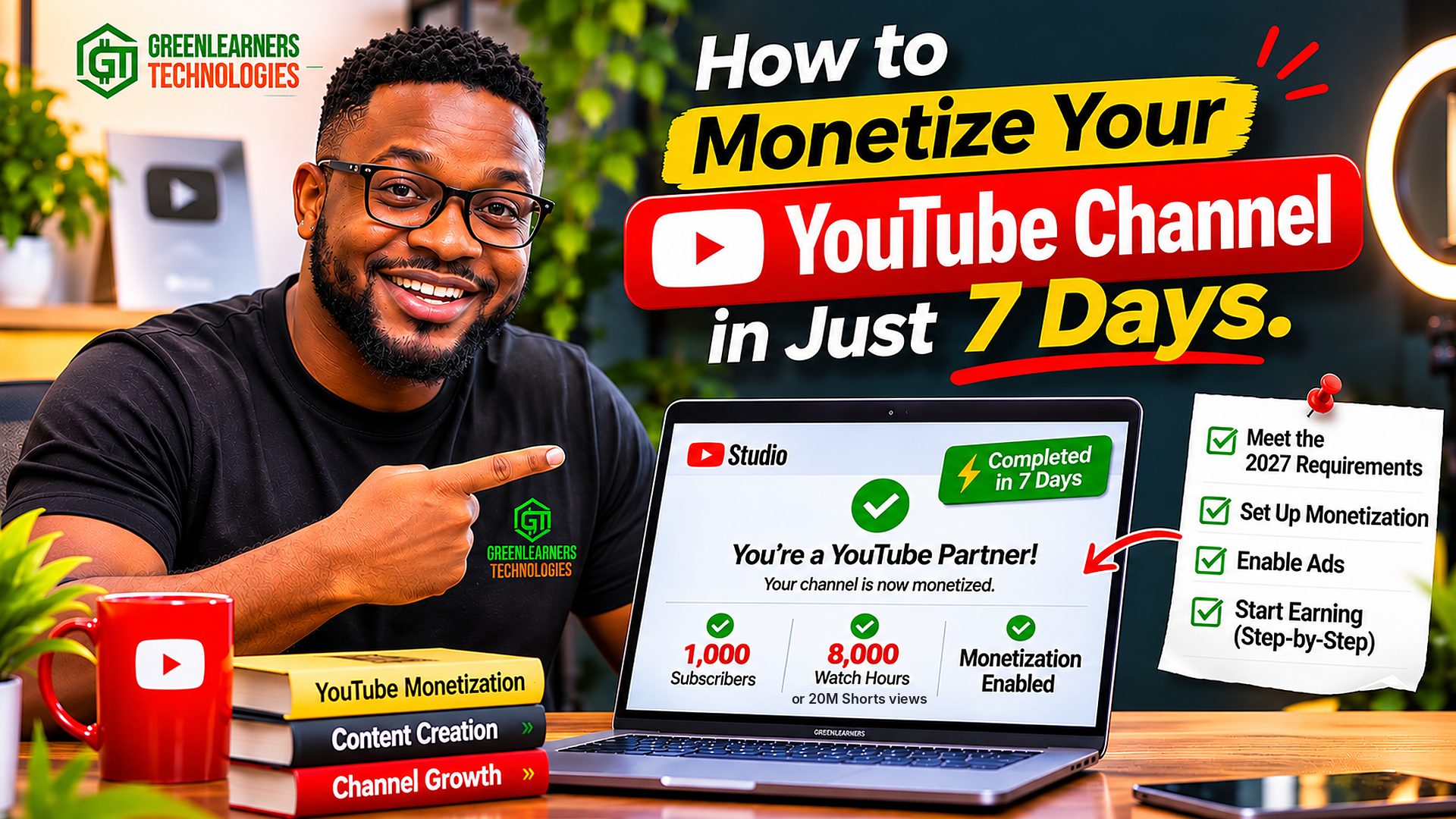

On February 1, 2027, getting paid by YouTube will become twice as hard as it used to be for new channels.
If you haven’t joined the YouTube Partner Program yet, ad money will need 8,000 watch hours instead of 4,000, or 20 million Shorts views instead of 10 million.
YouTube announced it in August 2026, and most monetization guides still haven’t caught up.
Now scroll the comments under any monetization video, and you’ll feel what that means for real people.
One new creator wrote that they had reached “145 subscribers and 33.9 hours” in their first week, and that they’d keep posting until their dream came true.
Another simply wrote: “Let’s manifest one day we all get monetized.”
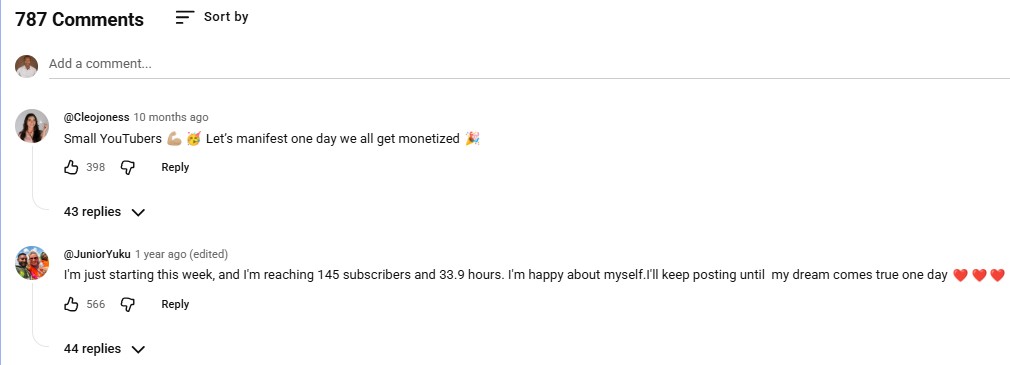
Hundreds of small creators leave comments like these under YouTube monetization videos, all waiting for the same Earn tab to change.
I love that energy.
But here’s the honest math: if it stayed at 33.9 hours a week, 8,000 hours would take more than four years.
So if you want to know how to monetize your YouTube channel, waiting for YouTube to pay you can’t be your only plan.
YES, YOU CAN MONETIZE YOUR YOUTUBE CHANNEL FROM DAY 1.
Not with ads.
With something you sell: your own product, your service, or a product you recommend as an affiliate.
That’s how I see YouTube, and every other social platform: a free video marketing engine that puts what you sell in front of people who are already searching for it.
When you see YouTube that way, you stop stressing over AdSense money.
Ad revenue becomes extra income on top, not the reason you post.
In this guide, I’ll show you how to monetize your YouTube channel in 7 days with Shorts and the right keywords.
Then you’ll get the full YouTube Partner Program picture: the February 2027 changes, the requirements for both tiers, how to apply in YouTube Studio, what YouTube really pays and how to get paid in Nigeria and beyond.
You also get 2 videos I found while researching, real screenshots from our own YouTube Studio, and 3 free tools.
How to monetize your YouTube channel: there are two routes, and you can run both at the same time.
Route 1, from day 1: sell your own product, service or affiliate offer, and post Shorts that answer searched questions about it. Our 7-day plan aims for your first sale inside a week.
Route 2, the YouTube Partner Program: at 500 subscribers, in listed countries, you can apply for fan funding and Shopping. Ad and Premium revenue needs 1,000 subscribers plus 4,000 watch hours in 12 months or 10 million Shorts views in 90 days. From February 1, 2027, new applicants need 8,000 hours or 20 million Shorts views.
Published November 7, 2026 · A 7-day plan to your first sale, the February 2027 rules, 2 videos and 3 free tools · By Chukwuemeka Maduka
- The 2 ways to monetize your YouTube channel
- How to monetize your YouTube channel in 7 days
- Watch: a 30-day plan to get monetized
- What changes on February 1, 2027
- YouTube monetization requirements: both tiers
- Free YouTube monetization checker
- How to apply in YouTube Studio, step by step
- Watch: every way YouTube pays you
- How much YouTube pays: CPM, RPM and real numbers
- Free YouTube earnings estimator
- How to monetize YouTube Shorts in 2027
- 10 ways to make money on YouTube
- How long it takes to get monetized
- Getting paid: AdSense, tax and your country
- AI, faceless and reused videos
- What gets channels demonetized
- Free monetization readiness audit
- If YouTube rejects your channel
- Use YouTube as a video marketing engine
- Questions people ask
The 2 Ways To Monetize Your YouTube Channel
Ask most people how to monetize your YouTube channel, and they’ll only know one way: YouTube pays you from ads.
The other way starts on your first upload: viewers pay you for what you sell.
Starts from day 1, with no subscriber minimum.
You keep most of each sale, and 1 buyer can be worth more than a month of ads.
Works for products, services, courses and affiliate offers.
Needs the YouTube Partner Program thresholds first.
Pays per view, often a few dollars per 1,000 long-video views.
Shorts ad money only starts at 10 million Shorts views in 90 days from February 2027.
While researching this guide, I found a comment under vidIQ’s monetization video that says it better than most articles do.

The creator behind @independentcreatoracademy argues that scraping into monetization pays “pennies”, so you should self-monetize from day one with your own product or affiliate offers.
I agree with that, and it’s how I think about every platform, not just YouTube.
Picture an interior designer in Lagos with 700 subscribers and no ad money.
One viewer watches her Short on making a small apartment look bigger, messages her on WhatsApp and books a full design job.
That one booking can be worth more than her channel would earn from ads in a year.
That’s the whole idea: monetize the viewer, not just the view.
How To Monetize Your YouTube Channel In 7 Days
This is the part most guides skip.
It’s how to monetize your YouTube channel when you’re starting from zero, and it’s the method I recommend, especially to businesses.
In 7 days, “monetized” means your first sale from YouTube. It doesn’t mean the YouTube Partner Program badge, which takes months for almost every new channel. Anyone selling YPP approval in a week is selling something that breaks YouTube’s rules.
0Before You Start: Pick One Offer People Already Want
Choose one product, service or affiliate offer you can deliver this week.
A tailor’s made-to-measure outfits, a bookkeeping template, a coaching call or a laptop you’d honestly recommend all work.
Price it so a viewer can say yes the same day, and check people already search for the problem it solves.
If nobody wants the offer, no number of Shorts will fix it.
1Day 1, Morning: Optimize Your Channel
Your channel page is your shop window, so make it say what you sell before anyone visits.
- Name and handle: your brand, plus what you do if it fits, like “Ada Interiors | Small Space Design”.
- Description: the first 2 lines say who you help and what you sell, using the words your buyers search.
- Links: add your WhatsApp, website or shop under Customization, then Profile. These links stay clickable on your channel page.
- Settings: set your country of residence and channel keywords in YouTube Studio, under Settings, then Channel.
- Banner: one line that says what you sell and who it’s for.
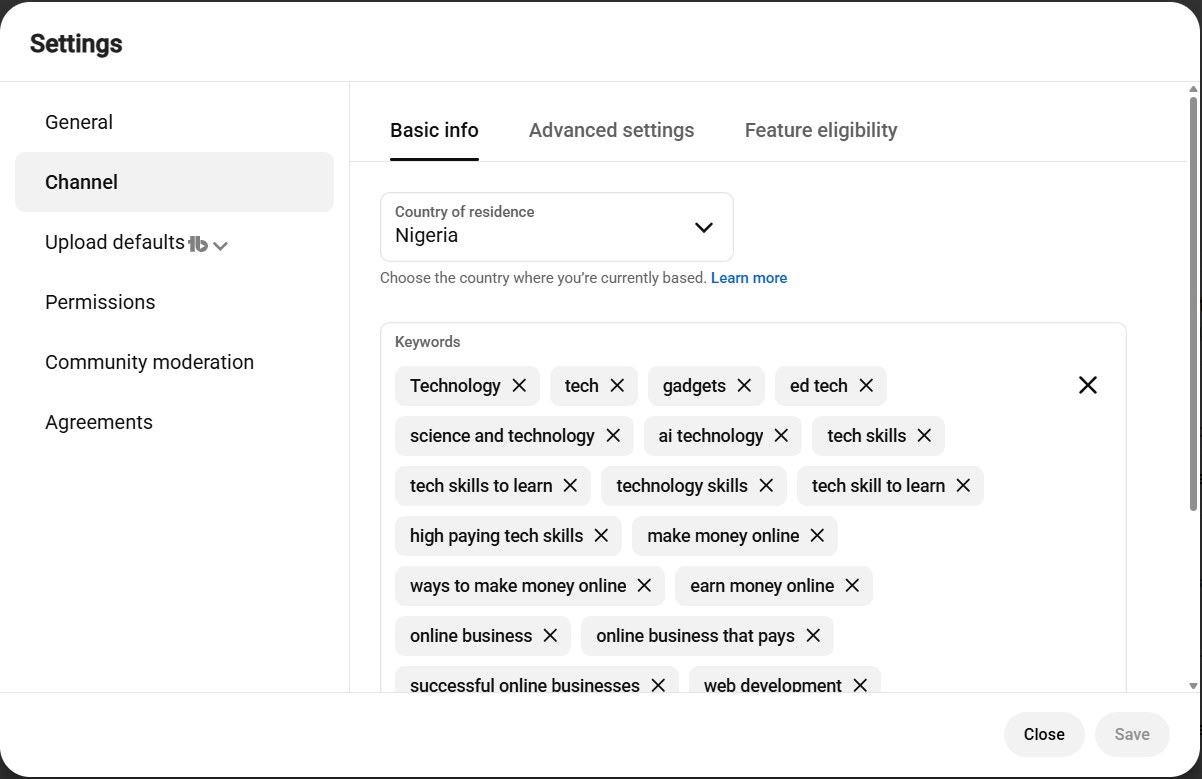
Our Greenlearners Technologies channel settings: country of residence and the keywords that describe what the channel covers. Your country decides which monetization features you can use.
2Day 1: Find 10 Keywords With Demand And Low Competition
Target keywords with high traffic but low or reasonable competition, all connected to what you sell.
- YouTube’s search bar: type your topic and note the suggestions, because they come from real searches.
- The Trends tab in YouTube Studio: under Analytics, it shows what your audience searches, an audience interest rating and content gaps for Shorts.
- A keyword tool: vidIQ or TubeBuddy show estimated search volume and competition next to each search.
- Your own eyes: search each keyword, and if the top results are old, thin or from small channels, that’s your opening.
An interior designer’s 10 might include “small living room ideas”, “how to make a small room look bigger” and “interior designer cost in Lagos”.
3Day 1: Post 10 Shorts Within 24 Hours
Turn each keyword into one Short that answers one question in under a minute.
- Say the keyword in the first 3 seconds, then put it in the title and the first line of the description.
- Give real value, so the Short is worth watching even if nobody buys.
- Connect it to your offer at the end, out loud and on screen: “Want this done for your room? WhatsApp me, the number’s on my channel.”
- Spread the 10 across the day, so each one gets its own chance in the Shorts feed.
One thing most people miss: links in Shorts descriptions and comments stopped being clickable on August 31, 2023.
So make 1 longer “pillar” video, 3 to 8 minutes, that explains your offer and carries your clickable links in its description.
Then set it as the related video on every Short, in YouTube Studio on a computer.
4Days 2 To 7: Post 2 Selling Shorts A Day
Now keep showing up, and sell more directly.
- Short 1, value with a soft sell: answer another searched question, then mention your offer.
- Short 2, a direct sell: show the product, a result, the price, a customer’s question or how it works.
- Reply to every comment in the first hour, and answer price questions in public.
- Check YouTube Studio each evening: find the Short with the most views and the highest “stayed to watch”, then make the next one on that keyword.
- Track your sales: ask every buyer where they found you, or use a code word like “YT7” in your call to action.
Be honest with yourself: if what you sell is in demand and your Shorts genuinely help, a first sale inside 7 days is a realistic target. It isn’t guaranteed, because a weak offer won’t sell however many Shorts you post.
| Day | What you post | What you’re doing |
|---|---|---|
| Day 1 | 10 Shorts + 1 pillar video | Optimize the channel, pick 10 keywords, reach strangers |
| Days 2 to 4 | 2 Shorts a day | Sell softly and directly, reply to every comment |
| Days 5 to 7 | 2 Shorts a day | Double down on the keywords that worked, track every sale |
| Week total | 22 Shorts + 1 long video | Your first sale, and real data on what your buyers want |
Why start with Shorts?
In my experience, Shorts get a brand-new channel in front of strangers faster than long videos.
The Shorts feed shows your video to people who’ve never heard of you, and YouTube says Shorts now average over 200 billion views a day.
But don’t skip long videos, because they win what Shorts can’t: dwell time.
In my experience, long videos are where viewers stay longest, and that time is what builds the watch hours the YouTube Partner Program counts.
So use Shorts to be found, and long videos to be trusted.
Our video marketing services can set up your channel, find your 10 keywords and plan your first 10 Shorts around what you sell. Tap a button at the end of this guide.
Watch This: How To Monetize Your Channel In 30 Days
While researching this guide, I came across this video from vidIQ.
Once your first week of selling is done, it’s a strong plan for chasing the YouTube Partner Program before the February 2027 change.
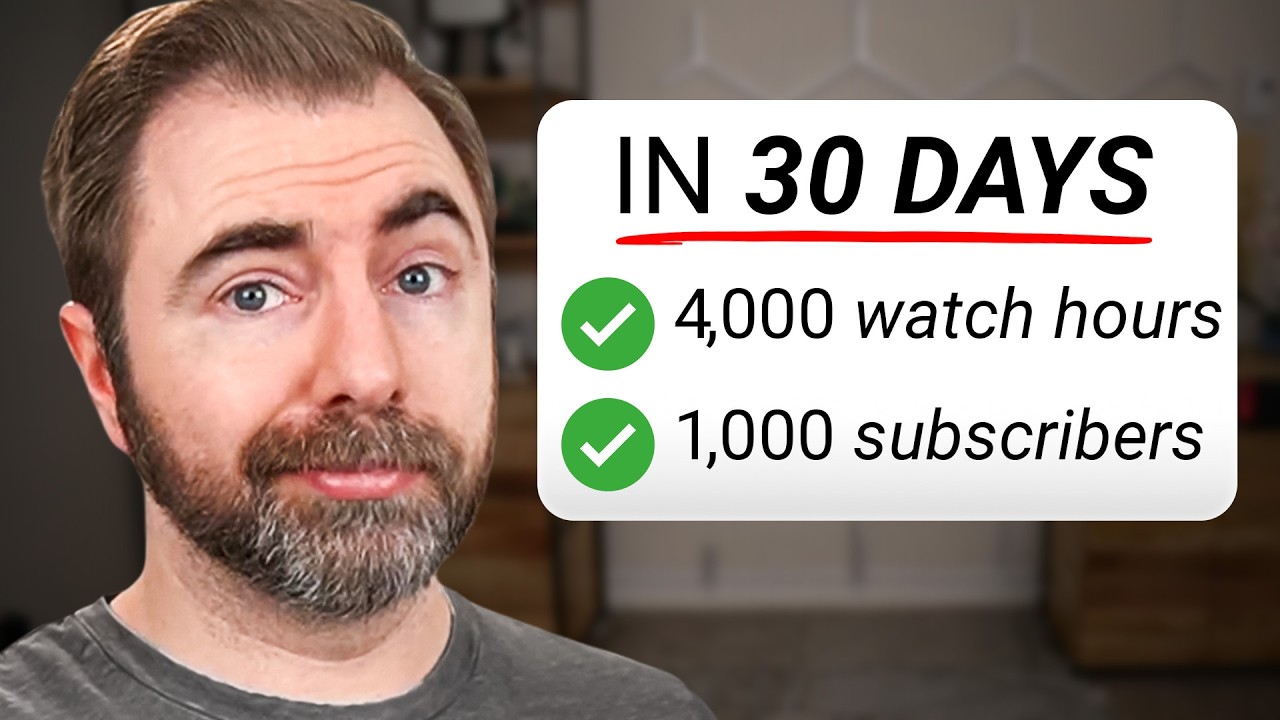
“How To Monetize Your Channel in 30 Days” by vidIQ on YouTube.
Here’s what to take from it.
- Shorts and long videos now earn separately: from February 2027, Shorts on a monetized channel earn nothing from ads until they hold 10 million views in 90 days, even if your long videos earn (0:59).
- Pick one lane for the month: the fastest growing channels stay focused on one format and one topic (1:24).
- Niches pay differently: his examples range from about $3 to $21 per 1,000 views, so choose a topic that pays and that you could make hundreds of videos about (2:03).
- Narrow your topic, not your ceiling: ask if 100,000 people could plausibly care about each of your first 5 ideas (3:15).
- Study what already works: use a fresh account with no watch history, watch 10 to 15 videos in your niche, then see what YouTube recommends (4:52).
- Borrow the packaging, not the video: use a title and thumbnail format that works for similar audiences, in your own version (6:25).
- Read the comments on breakout videos: the questions viewers keep asking are your next video ideas (7:06).
- Win the first 30 seconds: deliver what the title promised and tease what’s coming, in 5 to 10 seconds for long videos and about 3 for Shorts (7:53).
- Use the last 20 seconds: point your end screen to the most related next video, not just your most popular one (9:08).
- Check your numbers after 2 weeks: click-through rate for long videos and “stayed to watch” for Shorts, against your channel average (10:40).
- Double down on the winner: same structure, title formula, thumbnail style and length, on a new topic (12:44).
- The 500-subscriber tier isn’t changing: fan funding still opens at 500 subscribers in listed countries (14:43).
Here’s where our experience is different.
The video is about earning from YouTube itself, while our 7-day plan earns from your buyers first.
For a business, we’d start with Shorts for reach and one pillar video for links, as the 7-day plan explains.
He also suggests a fresh channel if you change topic, but if your current viewers are already customers, we’d keep that channel and sell to them.
And vidIQ makes YouTube tools, so the video shows several of them, while YouTube Studio’s free Trends tab covers much of the same keyword research.
What Changes On February 1, 2027
This is the first big change to the YouTube Partner Program since 2018, according to YouTube’s own announcement.
If you’re working out how to monetize your YouTube channel through ads, this is the date that matters.
Here’s the whole thing on one screen.
| Rule | Until January 31, 2027 | From February 1, 2027 |
|---|---|---|
| Ad and Premium revenue (new applicants) | 1,000 subscribers + 4,000 qualified watch hours in 12 months, or 10 million qualified Shorts views in 90 days | 1,000 subscribers + 8,000 qualified watch hours in 365 days, or 20 million qualified Shorts views in 90 days |
| 500-subscriber tier | 500 subscribers, 3 uploads in 90 days + 3,000 hours or 3 million Shorts views | No change |
| Shorts ad and subscription revenue (partners) | Shared with partners earning on Shorts | Only while you hold 10 million qualified Shorts views over the last 90 days |
| Staying active (partners) | Channels idle for 6+ months can lose monetization | 1,000 hours in 365 days, or 1 million Shorts views in 90 days, or 2 long videos or 5 Shorts every 90 days |
| New terms (partners) | Not needed | Accept them in YouTube Studio by January 31, 2027 |
Sources: YouTube Help, YPP changes and YouTube Official Blog, August 2026, checked November 7, 2026.
The change is for new applicants.
An older channel that hasn’t applied yet counts as a new applicant too, so “new” means new to the program, not a new channel.
If you’re already monetized, you keep your place.
You don’t have to hit the new entry numbers, but you must accept the updated terms in YouTube Studio by January 31, 2027.
Miss that date, and you stop earning from the affected features from February 1, even though you stay in the program.
If you’re close to 4,000 hours today, apply before February 1.
After that date, the same channel needs twice the watch time.
The 4 Shorts numbers, explained
Four different Shorts numbers float around, and mixing them up is the most common mistake in monetization guides.
| Your situation | Shorts views needed in 90 days |
|---|---|
| Apply for the 500-subscriber tier (fan funding and Shopping) | 3 million, plus 500 subscribers and 3 public uploads |
| Apply for ad revenue until January 31, 2027 | 10 million, plus 1,000 subscribers |
| Apply for ad revenue from February 1, 2027 | 20 million, plus 1,000 subscribers |
| Already a partner, earning from Shorts ads | Keep 10 million, or Shorts revenue pauses until you’re back above it |
Falling below 10 million doesn’t remove you from the program, and it doesn’t touch your long-form earnings.
YouTube’s VP of Creator Product, Amjad Hanif, called the changes “adjustments based on the amazing growth of the creator ecosystem”.
YouTube is expanding Premium Lite to every country where Premium is offered, and says partners on average earned more from a Premium member than from an ad viewer in 2026. It also says programs with bonuses for YouTube Shopping, brand deals and starting trends are coming for channels below the Shorts bar, with details to follow.
YouTube Monetization Requirements: Both Tiers Explained
The YouTube monetization requirements come in two levels, and YouTube Studio shows both under Earn.
So the second half of how to monetize your YouTube channel starts with these numbers.

The Earn tab on our Greenlearners Technologies channel, November 2026, with our own counts blurred. Tier 1 opens fan funding and Shopping. Tier 2 opens Watch Page ads and Shorts Feed ads.
The 500-subscriber tier is only in YouTube’s listed countries, which include Nigeria, Kenya, South Africa, Egypt, the US, the UK and Canada.
Ghana wasn’t on that list when we checked on November 7, 2026, so check it before you plan around the 500 tier.
When we opened our own Earn tab, YouTube showed this popup.
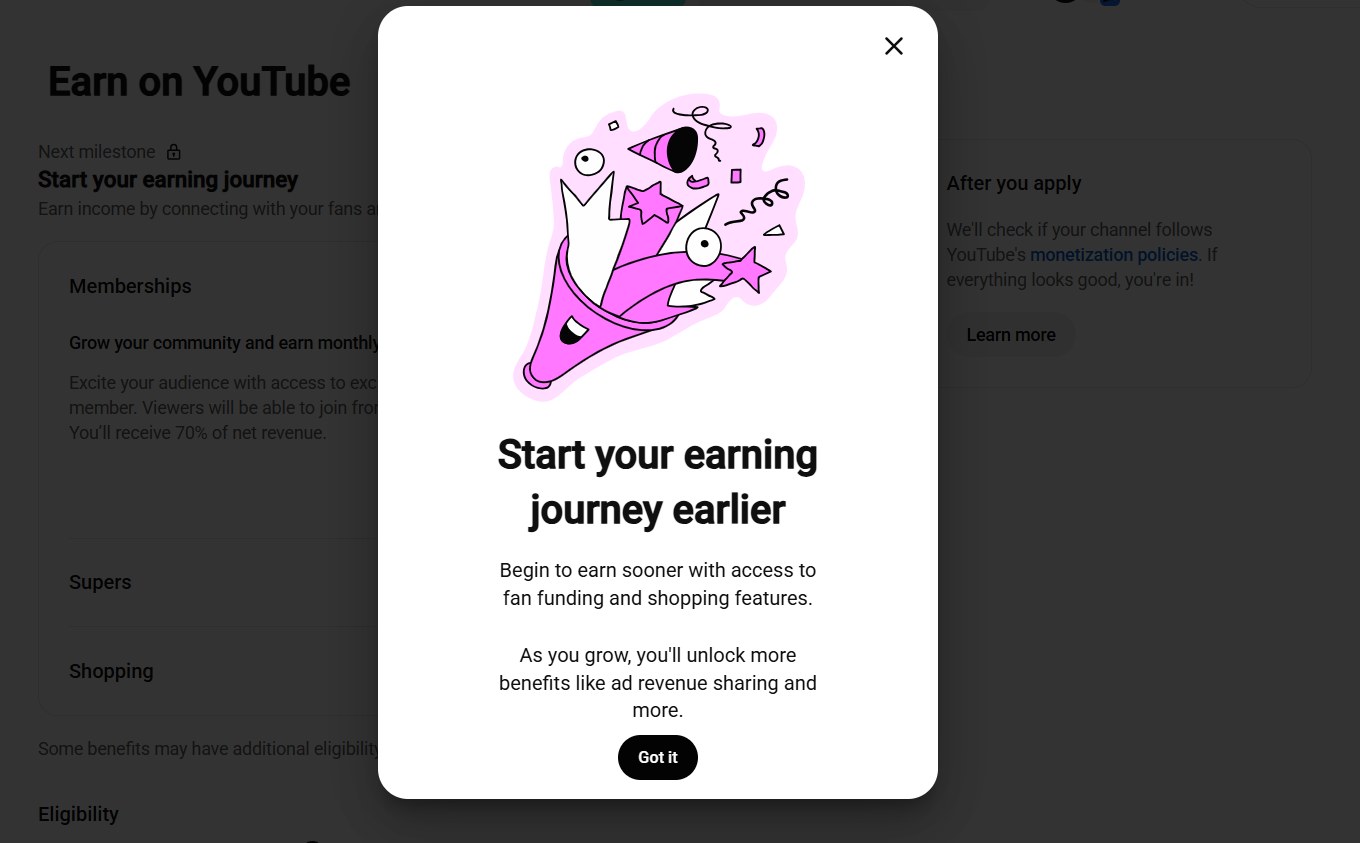
“Start your earning journey earlier”: YouTube’s own nudge toward fan funding and Shopping before ad revenue.
Hitting the numbers only makes you eligible to apply.
To join, YouTube also requires that you:
- Follow the channel monetization policies, because YouTube reviews your whole channel, not just your best video.
- Live in a country where the program is available.
- Have no active Community Guidelines strikes. Wait for them to expire, or win an appeal, first.
- Turn on 2-Step Verification for your Google Account.
- Have advanced features access on YouTube, which you can check under Settings, then Channel, then Feature eligibility.
- Have one AdSense for YouTube account linked to your channel. Create it inside YouTube Studio, not on the AdSense website.
What counts as a watch hour
Here’s where many creators get caught out.
Your Analytics page may show thousands of hours, but the YouTube watch hours for monetization only count “qualified” activity.
Public long videos watched by real viewers, from any country.
Public Shorts views from the Shorts feed, for the Shorts route.
Private, unlisted or deleted videos, and views from ad campaigns.
Shorts Feed watch time toward the long-form hours route.
That last one surprises people: a viral Short doesn’t add to your 4,000 or 8,000 hours.
So before you plan next month around a number, check the eligibility figures under Earn, not the total in Analytics.
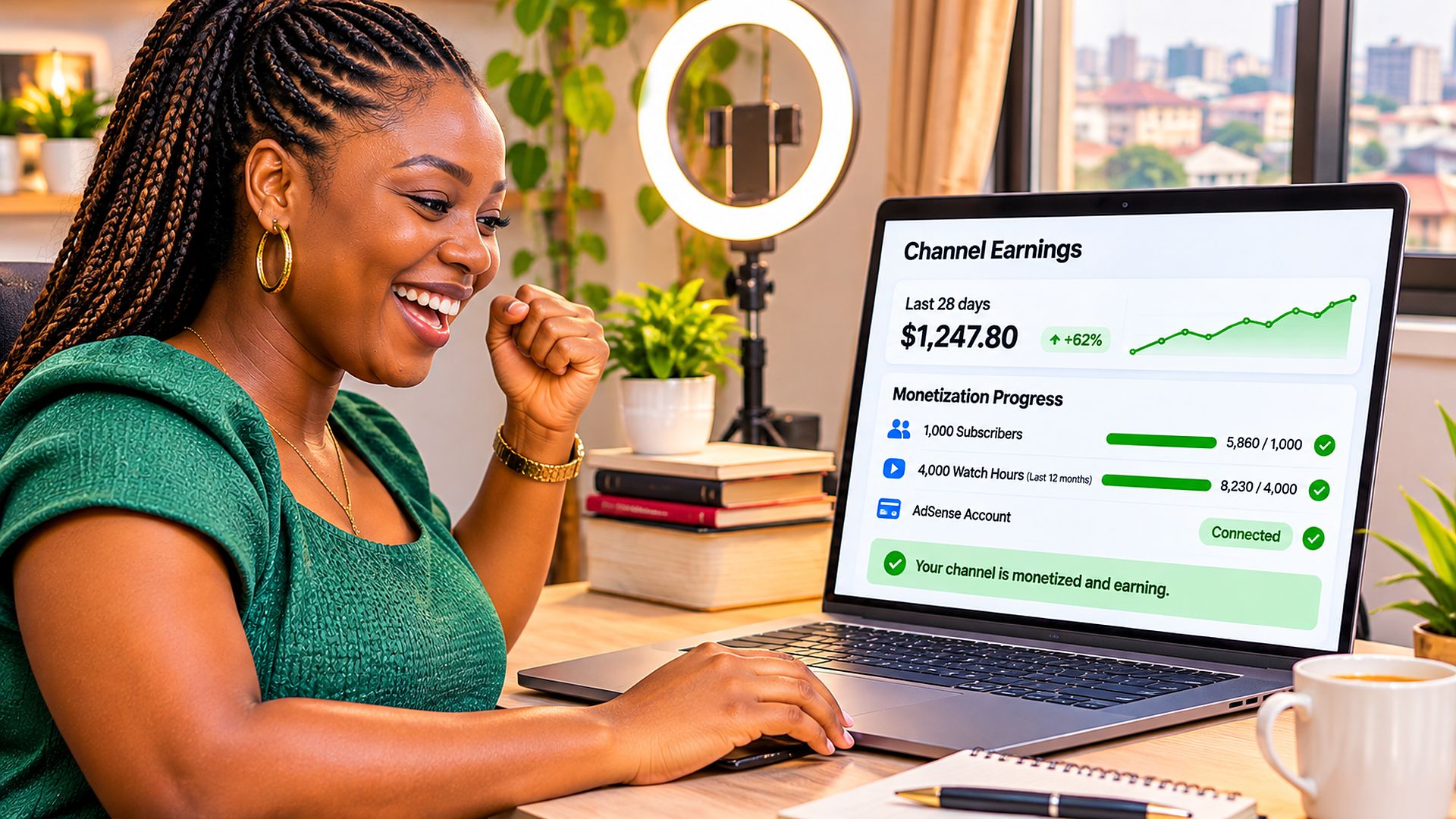
Free YouTube Monetization Checker
Put in your numbers from YouTube Studio, and see which tier your numbers meet, what’s left and roughly when you’ll get there.
Find them under Earn, which shows qualified watch hours for the last 365 days and Shorts views for the last 90 days.
How To Monetize Your YouTube Channel In YouTube Studio, Step By Step
Here’s how to monetize your YouTube channel through the YouTube Partner Program once your numbers qualify.
The application itself takes about 15 minutes.
1Open The Earn Tab In YouTube Studio
Go to YouTube Studio on a computer and click Earn in the left menu.
This is the YouTube Studio monetization page, and it shows your progress toward each tier.
When you qualify, the button changes to Apply now.
2Accept The Base Terms
Click Start and accept the Base terms.
Read them once, because they explain what happens if your channel breaks the rules.
3Set Up AdSense For YouTube
Click Start again to create or link an AdSense for YouTube account.
Use your real legal name and address, exactly as they appear on your ID, because payments and tax checks depend on it.
If you already have an AdSense account, link that one, because you can only have one per person.
4Wait For Review
The Get reviewed step now shows In progress.
YouTube usually decides in about a month, sometimes longer.
Keep uploading while you wait, because reviewers look at your channel as it is when they check it.
5If You’re Rejected, Fix Before You Retry
You can appeal within 21 days, or reapply after 30 days, and after a second rejection you wait 90 days.
Use our rejection recovery steps before you do either.
6Switch On Every Way To Earn
Once approved, check the Earn tab again.
Turn on ads for your videos, then set up memberships, Super Thanks and Shopping where they’re offered to you.
Do this today: Turn on 2-Step Verification, check advanced features and make sure you have no active strikes, so nothing blocks you on the day you qualify.
How to monetize your YouTube channel on mobile
You can check your progress in the YouTube Studio app under Earn.
Setting up AdSense is easier on a computer, so if the app sends you to a browser, open studio.youtube.com in your phone’s browser and request the desktop site.
That’s how to monetize a YouTube channel on mobile when you don’t have a laptop.
Watch This: Every Way YouTube Pays You
While researching this guide, I also came across this video from Justin Brown of Primal Video.
It’s the clearest walk-through I found of what each tier of the YouTube Partner Program actually switches on.

“YouTube Monetization Explained – How To Make Money From YouTube!” by Justin Brown of Primal Video on YouTube.
Here’s what to take from it.
- The lower tier: 500 subscribers, 3 public uploads in 90 days, and 3,000 watch hours in 12 months or 3 million Shorts views in 90 days, in a supported country (0:22).
- Super Chat and Super Stickers: paid, highlighted messages and stickers during your live streams (0:56).
- Super Thanks: a tip button under your regular videos, so fans can support you any time (1:42).
- Channel memberships: your own monthly membership inside YouTube, with tiers and perks you choose (2:19).
- You keep 70% of fan funding: and you don’t have to switch on every feature, only the ones that suit you (3:16).
- YouTube Shopping: sell your own products under your videos and live streams, through an approved platform like Shopify, where available (3:49).
- No second application: once you’re in, the higher tier’s features unlock when you hit its numbers (4:28).
- The full tier: 1,000 subscribers and 4,000 hours or 10 million Shorts views, which become 8,000 hours or 20 million views for new applicants from February 1, 2027 (4:41).
- YouTube Premium: you earn a share of Premium members’ fees when they watch your videos without ads (5:35).
- The ad split: creators keep about 55% of ad revenue on long videos (6:00).
- Shopping affiliates: earn commission on other brands’ products you tag, which was only rolling out in the US when he recorded (6:12).
What our own YouTube Studio confirms.
He recorded before the February 2027 change, so read his 4,000-hour figure as the rule until January 31, 2027.
His 70% figure matches what YouTube Studio shows us for memberships today.
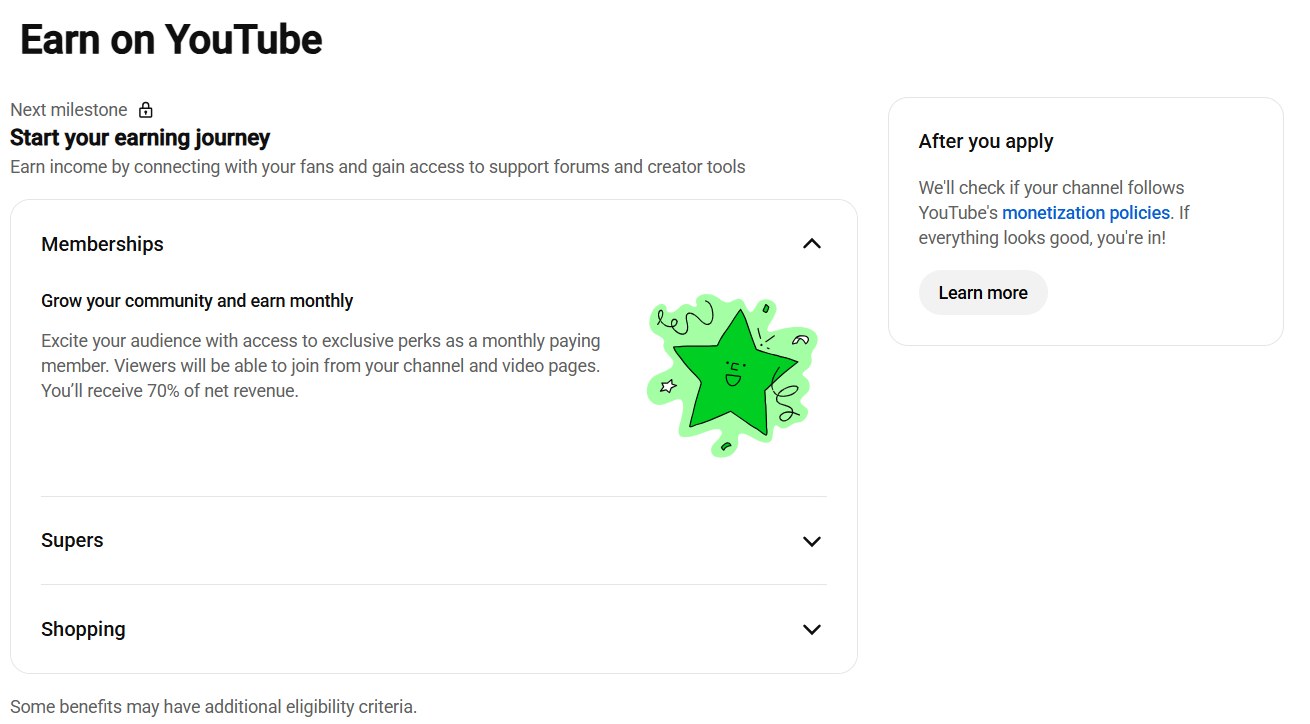
“You’ll receive 70% of net revenue” on memberships, with Supers and Shopping below. YouTube also notes that some benefits have extra eligibility rules.
How Much Does YouTube Pay? CPM, RPM And Real Numbers
Any honest answer to how to monetize your YouTube channel has to start with what YouTube really pays.
Two creators can each get 100,000 views and earn very different amounts.
One has viewers in countries where advertisers pay more, while the other gets fewer views that actually show an ad.
That’s why the question isn’t “how many views did I get?” but “how much did those views earn?”
What you earn per 1,000 views, after YouTube’s share, counting views that showed no ad.
This is the one to plan with.
What advertisers pay per 1,000 ad impressions, before YouTube’s share.
It’s always higher than your RPM, so don’t plan with it.
On long videos, creators get 55% of ad revenue, and on Shorts, 45% of their share of the Shorts pool.
Here’s what real monetized channels earned, from two separate studies.
| Content | RPM per 1,000 views | What 100,000 views earns | Study |
|---|---|---|---|
| All niches, median | About $2.30 | About $230 | 300 channels |
| Education and science, median | $10.22 | $1,022 | 300 channels |
| Gadgets and tech, median | $2.33 | $233 | 300 channels |
| Gaming, median | $2.05 | $205 | 300 channels |
| Shorts, most niches | $0.07 to $0.20 | $7 to $20 | 274 channels |
| Shorts, music | $0.97 to $1.48 | $97 to $148 | 274 channels |
Sources: AIR Media-Tech’s 300-channel RPM study (May 2025 to May 2026) and 274-channel Shorts study (September 2026). These are third-party samples, not YouTube rates.
The lesson is simple: long videos pay, Shorts mostly promote.
In most niches, a Short earns 3% to 14% of what a long video earns per view, according to the 274-channel study.
Where your viewers watch from matters more than the language you speak, because advertisers pay more to reach viewers in some countries.
A Nigerian creator teaching a global audience may earn a higher RPM than one whose viewers are all at home, though nothing about it is guaranteed.
Free YouTube Earnings Estimator
Enter your views, and see roughly what YouTube might pay, what US tax may take, and how that compares with selling your own product.
How To Monetize YouTube Shorts In 2027
Shorts are the fastest way to be found, but YouTube Shorts monetization works very differently from long videos.
Ads run between Shorts in the feed, and that money goes into a pool shared by views.
From February 1, 2027, partners only earn from Shorts ads and subscriptions while they hold 10 million qualified Shorts views over the last 90 days.
Drop below, and Shorts pay pauses while your long-video earnings carry on.
Climb back over, and it switches on again by itself.
There’s one new extra: when an advertiser targets a Shorts ad at a small set of channels, eligible creators get a direct 45% share.
So how do you monetize YouTube Shorts below 10 million views?
- Sell with them, using the 7-day plan, because a sale doesn’t need a threshold.
- Link each Short to a pillar video with the related video setting, because Shorts descriptions and comments can’t carry clickable links.
- Use them as trailers for your long videos, where the ad money and watch hours are.
- Tag products with YouTube Shopping, where it’s available to you.
- Turn on fan funding at 500 subscribers, so loyal viewers can support you.
Our guide on how to get more subscribers on YouTube shows how to use Shorts to reach people and long videos to keep them.
10 Ways To Make Money On YouTube
Ads are only one answer to how to monetize your YouTube channel.
Here are 10 ways to make money on YouTube, starting with the ones you can use soonest.
1Sell Your Own Product Or Service
This works from your first video, and no subscriber minimum applies.
A coach, a lawyer, a baker or a consultant can earn more from one client than from a year of ads on a small channel.
Put one clear next step on your channel and in your pillar video, like a booking page, WhatsApp link or shop.
2Use Affiliate Links
Review tools and products you really use, and earn a commission through your links.
Always say the link is an affiliate link, both in the video and the description.
3Sell Digital Products And Courses
Templates, guides and courses sell well to viewers who already trust your teaching.
Creators in Nigeria often use platforms like Selar, while creators elsewhere use Stan, Gumroad or their own website.
4Land Brand Deals
Brands pay for honest mentions in videos that reach their buyers.
YouTube connects creators and brands through BrandConnect in some countries, and many deals still come from a simple email.
Tick the “includes paid promotion” box in YouTube Studio whenever a video is sponsored.
5Offer Channel Memberships
Fans pay monthly for perks like badges, members-only videos or early access.
It opens at the 500-subscriber tier in listed countries, and you keep 70% of net revenue.
6Turn On Super Chat, Super Stickers And Super Thanks
Viewers can pay to highlight a message during a live stream or Premiere, or tip on any video.
Live Q&As are where these earn most, because fans want their question answered.
7Sell With YouTube Shopping
Tag your own products, or other brands’ products through the affiliate program where it’s offered.
YouTube says Shopping bonuses are coming in 2027 for channels below the Shorts threshold.
8Earn From Ads On Long Videos
This is the classic way, and it needs the 1,000-subscriber tier.
Videos of 8 minutes or more can carry mid-roll ads, which can raise what each view earns.
Only add them where they don’t spoil the video, because viewers who leave hurt you more than one extra ad helps.
10Earn From Shorts Ads
From February 2027, Shorts ads pay partners while they hold 10 million views in 90 days.
Below that, treat Shorts as free distribution for everything above.
Copy this: Use at least 2 of the first 4 ways this week, so you’re earning long before you’re eligible for ads.
How Long Does It Take To Get Monetized?
Your first sale can come in days, while the YouTube Partner Program usually takes months.
Here’s the honest math for the new rules.
| Route | What it takes | In everyday numbers |
|---|---|---|
| Your first sale | An offer people want + Shorts aimed at searched keywords | A realistic 7-day target, not a promise |
| 3,000 watch hours | 180,000 minutes in 12 months | About 45,000 views a year if people watch 4 minutes each |
| 4,000 watch hours | 240,000 minutes in 12 months | About 60,000 views a year at 4 minutes each |
| 8,000 watch hours | 480,000 minutes in 365 days | About 120,000 views a year at 4 minutes each |
| 20 million Shorts views | In 90 days | About 222,000 Shorts views every day |
So what’s the fastest way to monetize your YouTube channel? Sell first, and build watch hours alongside.
And how do you get monetized on YouTube fast for ads?
Make longer videos people finish.
One 20-minute video watched halfway earns the same watch time as ten 1-minute videos watched to the end.
Build series and playlists, so one view turns into three.
And answer questions people already search for, because search keeps sending viewers for years.
Watch hours count over a rolling 12 months, so old views drop off as new ones come in.
Getting Paid: AdSense, Tax And Your Country
Once YouTube owes you money, it pays you through AdSense for YouTube.
- The payout minimum is $100. Below that, your balance rolls over to the next month.
- Payments go out monthly, usually in the second half of the month after you earn.
- Add a payment method that’s offered in your country. See YouTube’s guide to adding a payment method.
- Use your legal name, because the name on your account must match your bank and ID.
- One AdSense for YouTube account can be linked to more than one of your channels.
US tax, even if you don’t live in the US
Google withholds US tax only on what you earn from viewers in the US, once you submit your tax info.
The rate is between 0% and 30%, depending on your country’s tax treaty with the US and your tax status, and AdSense shows your exact rate.
Nigeria isn’t on the IRS list of US tax treaty countries, so Nigerian creators should expect 30% on their US-viewer earnings.
Skip the tax info, and it gets worse: individual accounts can lose 24% of their total earnings, from every country.
Your local tax rules still apply on top, so speak to a tax adviser in your country.
YouTube monetization by country
The rules are global, but your country changes three things: the 500 tier, how you’re paid and your US tax rate.
| Country | 500-subscriber tier | US tax treaty | What to check |
|---|---|---|---|
| Nigeria | Yes | No, expect 30% on US-viewer earnings | A bank account that can receive a USD wire |
| Kenya | Yes | No | Payment methods offered in AdSense for Kenya |
| South Africa | Yes | Yes, rate shown in AdSense | Treaty benefits claimed in your tax form |
| Ghana | Not listed (Nov 2026) | No | Whether the 500 tier is offered before you plan for it |
| United Kingdom | Yes | Yes, rate shown in AdSense | Treaty benefits claimed, plus UK tax on your income |
| Canada | Yes | Yes, rate shown in AdSense | Treaty benefits claimed, plus Canadian tax |
| United States | Yes | Not needed | A W-9 tax form, so nothing is held back |
Checked November 7, 2026 against YouTube’s expanded YPP country list and the IRS treaty list. Always confirm your own rate and payment options inside AdSense.
How to get paid from YouTube in Nigeria
Nigerian creators receive AdSense payments in US dollars by international wire transfer.
Ask your bank which account can receive a USD wire, and use the exact name on that account in AdSense.
Some creators use a dollar account from a fintech app instead, but compare fees and how fast the money arrives first.
And remember the bigger point: a Nigerian creator selling a $50 service to the same viewers doesn’t wait for any of this.
Can You Monetize AI, Faceless And Reused Videos?
If you’re wondering how to monetize your YouTube channel without showing your face, the answer is yes.
Faceless channels can be monetized, and AI help isn’t banned.
What YouTube won’t pay for is inauthentic content: videos that are mass-produced, repetitive or made from a template with little real value.
Its separate reused content rule still covers clips and compilations with little change.
Here’s a simple test before you upload.
Remove the AI voice, the stock footage and the template. What original knowledge, opinion, experience or creativity is left? If the answer is “not much”, YouTube’s reviewers will likely see the same thing.
- Faceless is fine when your voice, script, research or editing makes each video yours.
- AI voiceovers and visuals are fine when they carry your own ideas, not a template repeated a hundred times.
- Mass-produced channels are risky, like slideshows with scrolling text, or the same video format with only the words swapped.
- Disclose realistic altered or synthetic content when YouTube Studio asks, during upload.
What Gets Channels Demonetized
Knowing how to monetize your YouTube channel is half the job.
Keeping it monetized is the other half.
1Mass-Produced Or Repetitive Videos
On July 15, 2025, YouTube renamed its “repetitious content” policy to “inauthentic content”.
It covers videos that are mass-produced, generic or repetitive, like slideshows or scrolling text with little or no commentary.
2Reused Content
Clips, compilations and reposts with little change can’t be monetized.
Reviews, reactions and commentary are fine when viewers can tell you’ve added something meaningful.
3Buying Views, Subscribers Or Watch Hours
YouTube doesn’t allow anything that artificially increases views, likes, comments or other metrics.
That includes services that promise to “pay to get monetized on YouTube”.
Fake traffic isn’t counted, and it can lead to strikes and even losing your channel.
4Music And Clips You Don’t Own
Copyright claims can send your video’s earnings to the owner.
For royalty-free music for YouTube monetization, use the YouTube Audio Library inside YouTube Studio, and follow any credit it asks for.
5Going Quiet
From February 2027, partners count as active with 1,000 watch hours in 365 days, 1 million Shorts views in 90 days, or 2 long videos or 5 Shorts every 90 days.
YouTube says channels that drop below get a 90-day window to meet one of those again.
Free YouTube Monetization Readiness Audit
Tick what’s true for your channel, and get a list of what to fix first.
Be honest, because YouTube’s reviewers will be.
What To Do If YouTube Rejects Your Channel
A rejection can feel like YouTube has dismissed a year of late nights.
Don’t rush to delete half your videos or reapply the same day.
Here’s how to monetize your YouTube channel after a no, step by step.
1Read The Exact Reason
Open Earn in YouTube Studio, and note the policy named in the notice, like reused or inauthentic content.
2Look At What The Reviewer Saw
Start with your most-viewed videos, your newest uploads and the videos that bring the most watch time.
Check their titles, thumbnails and descriptions too, plus your channel’s About section.
3Fix The Pattern, Not One Video
If the problem runs through the channel, like one template repeated, change the format going forward and make older offenders private.
4Appeal Or Reapply
Appeal within 21 days if you believe the decision is wrong, with a short video that shows how you make your content.
Otherwise, reapply after 30 days, once the fixes are live.
Keep proof: save your scripts, project files and licenses, so you can show your work is original if you ever need to.
Should You Buy A Monetized YouTube Channel?
You’ll see monetized YouTube channels for sale on forums and marketplaces.
We’d steer you away, for three reasons.
- You inherit its history, including strikes, copyright claims and any fake views the seller bought.
- The audience isn’t yours. They subscribed for the old creator and the old topic.
- Scams are common, and once you’ve paid and the login changes, there’s often no way back.
Building your own channel is slower, but every viewer you earn is one you keep.
Use YouTube As A Video Marketing Engine
For a business, how to monetize your YouTube channel has a different answer.
Your best “RPM” is a customer.
A clinic, a law firm or a training school can earn more from one new client than from months of ad revenue on a small channel.
That’s why I treat YouTube as a distribution engine: it carries your answers to people searching for them, every day, for free.
And Google is only one place people search, because customers now find brands on YouTube, TikTok, Instagram and in AI answers too.
- Answer buying questions, like prices, comparisons and “is it worth it?”
- Add one clear next step to every video: your WhatsApp, booking page or free guide.
- Move warm viewers to email and WhatsApp, which you own and no platform can switch off.
- Promote your best video with YouTube ads, once it already turns viewers into enquiries.
Our guide on how to get leads shows the full system, our free lead generation tools help you capture them, and our lead generation services can build it for you.
Growing on other platforms too? See how to get more followers on Instagram, TikTok and Facebook.
Want help to monetize your YouTube channel?
Whether you want your first sales from Shorts this month or watch hours before the rules change, our video marketing services can find your fastest route and run it with you.
- Channel setupName, description, links and 10 keywords your buyers search.
- Shorts that sellYour first 10 Shorts and a pillar video, built around your offer.
- Sales from viewsOffers, WhatsApp follow-up and YouTube ads that turn viewers into customers.
Businesses: tap Start My 7 Days. Creators: tap Review My Channel. We work with clients in the US, UK, Canada, Nigeria and beyond, with real growth only, never bought views.
Questions About How To Monetize Your YouTube Channel
There are two ways to monetize your YouTube channel. From day 1, you can sell your own product, service or affiliate offer and use Shorts to reach buyers.
Through the YouTube Partner Program, you reach the thresholds, then go to YouTube Studio, click Earn, select Apply now, accept the Base terms and link an AdSense for YouTube account. YouTube then reviews your whole channel, usually within about a month.
Yes, if monetize means earning from your channel. With an offer people want, 10 Shorts aimed at searched keywords on day 1 and 2 selling Shorts a day after that, a first sale inside 7 days is a realistic target, though not a guarantee.
Joining the YouTube Partner Program in 7 days isn’t realistic for a new channel, and services that promise it break YouTube’s rules.
Yes. Selling your own product or service, or recommending affiliate products, needs no subscriber minimum.
Put clickable links on your channel page and in a longer pillar video, because links in Shorts descriptions and comments aren’t clickable.
The 500-subscriber tier needs 3 public uploads in 90 days plus 3,000 watch hours in 12 months or 3 million Shorts views in 90 days, in listed countries.
Ad revenue needs 1,000 subscribers plus 4,000 watch hours in 12 months or 10 million Shorts views in 90 days until January 31, 2027. From February 1, 2027, new applicants need 8,000 watch hours in 365 days or 20 million Shorts views in 90 days.
3,000 qualified watch hours in 12 months meet the 500-subscriber tier.
For ad revenue, you need 4,000 hours until January 31, 2027, then 8,000 hours in 365 days for new applicants. Shorts Feed watch time doesn’t count toward these hours.
Partners earn from Shorts ads through a shared pool. From February 1, 2027, that only happens while you hold 10 million qualified Shorts views over the last 90 days.
Below that, use Shorts to sell your own offer, promote long videos, tag products with YouTube Shopping and grow fan funding.
Not in the description or comments, because YouTube made those links unclickable on August 31, 2023.
You can link each Short to another video on your channel with the related video setting, and the links on your channel page stay clickable.
It depends on your niche and where your viewers watch from. AIR Media-Tech’s 2026 study of 300 channels found a median of about $2.30 per 1,000 views, and $10.22 for education and science.
Its separate study of 274 channels found most Shorts earn $0.07 to $0.20 per 1,000 views.
Yes. Faceless channels can be monetized when the videos are original and add real value, through your voice, script, research or editing.
Channels that look mass-produced or repetitive can be rejected under YouTube’s inauthentic content policy.
AI help isn’t banned. What YouTube won’t monetize is mass-produced, repetitive or templated content with little original value.
Ask what’s left if you remove the AI voice, stock footage and template. If your own knowledge or view is still there, you’re on safer ground.
No. YouTube doesn’t allow anything that artificially increases views, watch hours or subscribers, and fake traffic isn’t counted.
Services that sell watch hours put your channel at risk of strikes and termination.
Yes. Qualified watch hours, Shorts views and subscribers count from every country.
Where your viewers watch from changes how much you earn per view, not whether the views count.
Yes. Nigeria is on YouTube’s list of countries for the expanded YouTube Partner Program, including the 500-subscriber tier for fan funding and Shopping.
Ad revenue needs the 1,000-subscriber tier, as everywhere else.
YouTube pays Nigerian creators through AdSense for YouTube, in US dollars, by international wire transfer once your balance reaches $100.
Submit your US tax info in AdSense, because Nigeria has no US tax treaty and 30% of your US-viewer earnings can be withheld.
You keep your place in the YouTube Partner Program under the 2027 rules, but you must accept the updated terms in YouTube Studio by January 31, 2027.
From February 1, stay active with 1,000 watch hours in 365 days, 1 million Shorts views in 90 days, or 2 long videos or 5 Shorts every 90 days.
YouTube usually decides in about a month, though it can take longer.
If you’re rejected, you can appeal within 21 days or reapply after 30 days, and after a second rejection, after 90 days.
Yes. One AdSense for YouTube account can be linked to more than one of your channels.
You should only have one AdSense account yourself, so link the one you already have.
You can track your progress in the YouTube Studio app under Earn.
To apply and set up AdSense, open studio.youtube.com in your phone’s browser and request the desktop site if the app sends you there.
We’d avoid it. You inherit the channel’s strikes, claims and any fake views, the audience followed someone else, and scams are common.
Building your own channel is slower, but the viewers you earn stay yours.
Disclaimer
Greenlearners Technologies is an independent digital marketing business and is not affiliated with YouTube or Google. YouTube and AdSense are trademarks of Google LLC.
YouTube Partner Program rules, dates and figures were checked against YouTube’s help center, official blog and the sources below on November 7, 2026. YouTube changes its programs often, and some features depend on your country and account.
Earnings and sales vary widely by niche, offer, audience and season. Nothing in this guide is tax, legal or financial advice, so speak to a qualified adviser about your own situation. No method can guarantee monetization or sales, and anyone who sells guaranteed monetization should be avoided.
How we researched this guide: we reviewed YouTube’s help center and official blog, the August 2026 Partner Program announcement and its coverage, Google’s tax guidance, the IRS treaty list and two AIR Media-Tech studies of 300 and 274 monetized channels. We watched the two videos above in full, and the screenshots come from our own Greenlearners Technologies YouTube Studio and public YouTube comments. We separate YouTube’s official rules from third-party estimates and from our own experience, which we label as ours. The tools use YouTube’s published thresholds and simple rules, not your channel’s data.
If you spot a mistake or an outdated rule, send it through our contact page, and we’ll check it and update this guide.
- YouTube (2026). New opportunities to earn and changes to the YouTube Partner Program. blog.youtube
- YouTube Help. YouTube Partner Program changes. support.google.com
- YouTube Help. YouTube Partner Program overview and eligibility. support.google.com
- YouTube Help. Overview of the expanded YouTube Partner Program. support.google.com
- YouTube Help. YouTube channel monetization policies. support.google.com
- YouTube Help. Fake engagement policy. support.google.com
- YouTube Help. Explore trends on YouTube. support.google.com
- YouTube Help. US tax requirements for YouTube earnings. support.google.com
- YouTube Help. Add your payment method for AdSense for YouTube. support.google.com
- YouTube Help. Manage mid-roll ad breaks in long videos. support.google.com
- YouTube Help. Get started with YouTube BrandConnect. support.google.com
- Tubefilter (2026). YouTube hopes stricter ad eligibility requirements will make Shorts revenue meaningful for creators. tubefilter.com
- Tubefilter (2025). YouTube Shorts averages 200 billion daily views. tubefilter.com
- Search Engine Journal (2023). YouTube adds Shorts links, limits links elsewhere. searchenginejournal.com
- AIR Media-Tech (2026). How much does YouTube really pay in 2026? Real RPM data from 300 channels. air.io
- AIR Media-Tech (2026). YouTube Shorts RPM vs long-form: real monetization data from 274 channels. air.io
- vidIQ (2026). How To Monetize Your Channel in 30 Days. YouTube video. youtube.com
- Primal Video. YouTube Monetization Explained – How To Make Money From YouTube! YouTube video. youtube.com
- Internal Revenue Service. United States income tax treaties, A to Z. irs.gov